Shape the woody structure
Swipe the table to read every column.
| Parameter | Default / type | Effect and use |
|---|---|---|
| Trunk Radius | 1.3 cm / float, minimum 0.1 | Base root-strand radius before depth scaling, flare and noise. Also affects surface clearance. |
| Tip Radius | 0.16 cm / float, minimum 0.1 | Tapered end radius before branch-depth scaling. Inspect the rendered tip at the intended viewing distance. |
| Radial Segments | 10 / integer, range 3–64 | Sides around each stem ring. Values above 24 also add curved geometry to the rounded root and tip closures. Increase for close views; higher values increase mesh and growth-update cost. |
| Spline Subdivisions | 3 / integer, range 1–8 | Catmull–Rom subdivisions between stored path samples. 1 disables smoothing. This changes rendered detail rather than adding collision sampling steps. |
| Stem Radius Noise | 0.18 / float, range 0–0.6 | Adds radius variation and ovality. 0 gives a more regular cross-section. |
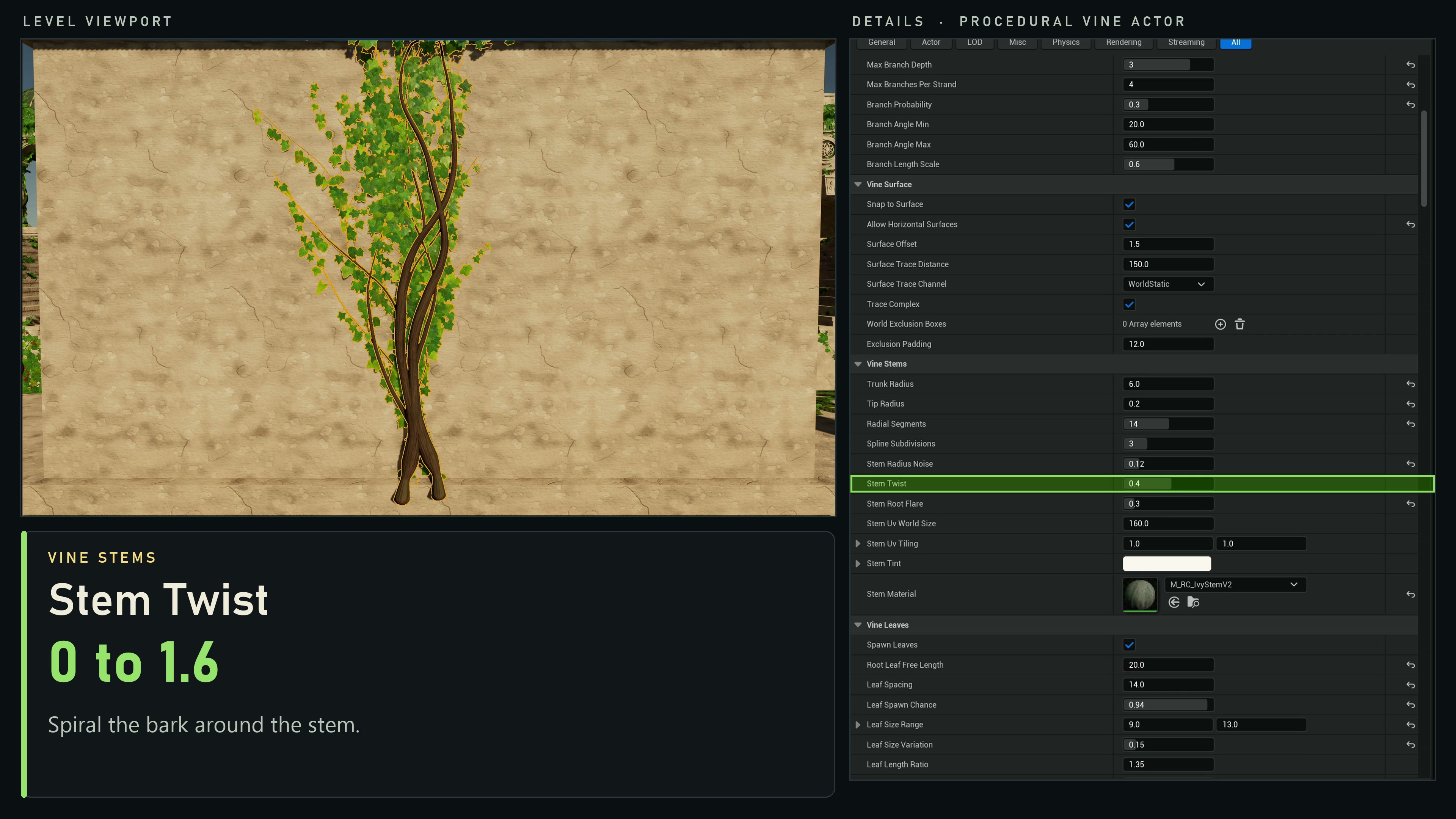
| Stem Twist | 0 turns/metre / float, range −4–4 | Adds spiral twist to the bark grain and stem ridges. For visible ridges, use Stem Radius Noise above zero; compare 0 with 0.5 using a fixed seed. |
| Stem Root Flare | 0.12 / float, range 0–2 | Adds thickness toward each strand's start. 0 removes the additional flare. |
| Stem UV World Size | 160 cm / float, minimum 10 | Length of stem covered by one V-axis texture repeat before tiling. |
| Stem UV Tiling | (1, 1) / vector2 | X repeats around the stem; Y repeats along it. Each effective value has a minimum of 0.01. |
| Stem Tint | Linear RGB (1, 0.96, 0.9), A 1 | Color written to stem vertex colors with per-strand variation. Your material must read Vertex Color for it to affect the rendered color. |
| Stem Material | None / material | Material for the procedural stem section. Uses the default surface material when unassigned. |
| Generate Stem Collision | true / boolean | Builds query collision for stems in a game world. Editor-only generation has no stem collision. Leaves have no collision. |
Included materials
Enable Show Plugin Content in the Content Browser and open Procedural Vines Content → Materials. Assign the materials on the actor; they are not automatic asset defaults.
Swipe the table to read every column.
| Material path | Assign to | Use |
|---|---|---|
| /ProceduralVines/Materials/M_VineBark | Stem Material | Core bark material for the procedural stem section. |
| /ProceduralVines/Materials/M_ProceduralLeaves | Leaf Material | Core material for procedural leaf quads. |
| /ProceduralVines/Materials/M_LeafInstances | Leaf Material | Legacy material for compatible full-leaf-UV meshes; retained for existing overrides. |
| /ProceduralVines/Materials/M_HederaInstances | Leaf Material | Matched 4×3 atlas material for SM_Hedera_B/G/K. Includes stable variation, age tint, Leaf Warmth, Young Tint and wind. |
| /ProceduralVines/Materials/M_OrganicTendril | Stem Material | Mottled skin with SkinBase, SkinHighlight and SkinRoughness (0.56) controls and an analytic micro-normal. MI_OrganicTendril_Umber supplies a colour variant. |
| /ProceduralVines/Materials/M_OrganicTendril_Detailed | Stem Material for close views | SkinBase and SkinHighlight color controls, with procedural pore, fold and roughness detail. Create a material instance to adjust the colors. This separate material does not expose the original SkinRoughness scalar. |
The example project's /Game/ProceduralVinesDemo materials are separate scene variants. You can also assign your own compatible materials.
Choose a look for the scene
For climbing ivy, follow the architecture’s blocking collision, then add varied leaf meshes and a compatible leaf material. Check young leaves at the moving growth front as well as the mature result. Supplied leaf wind remains a separate effect.
For ground roots, enable Allow Horizontal Surfaces, choose a tangent Growth Direction, disable leaves and assign a bark stem material. Build a few readable tapered strands before adding smaller branches. Check surface clearance again after changing radius or flare.
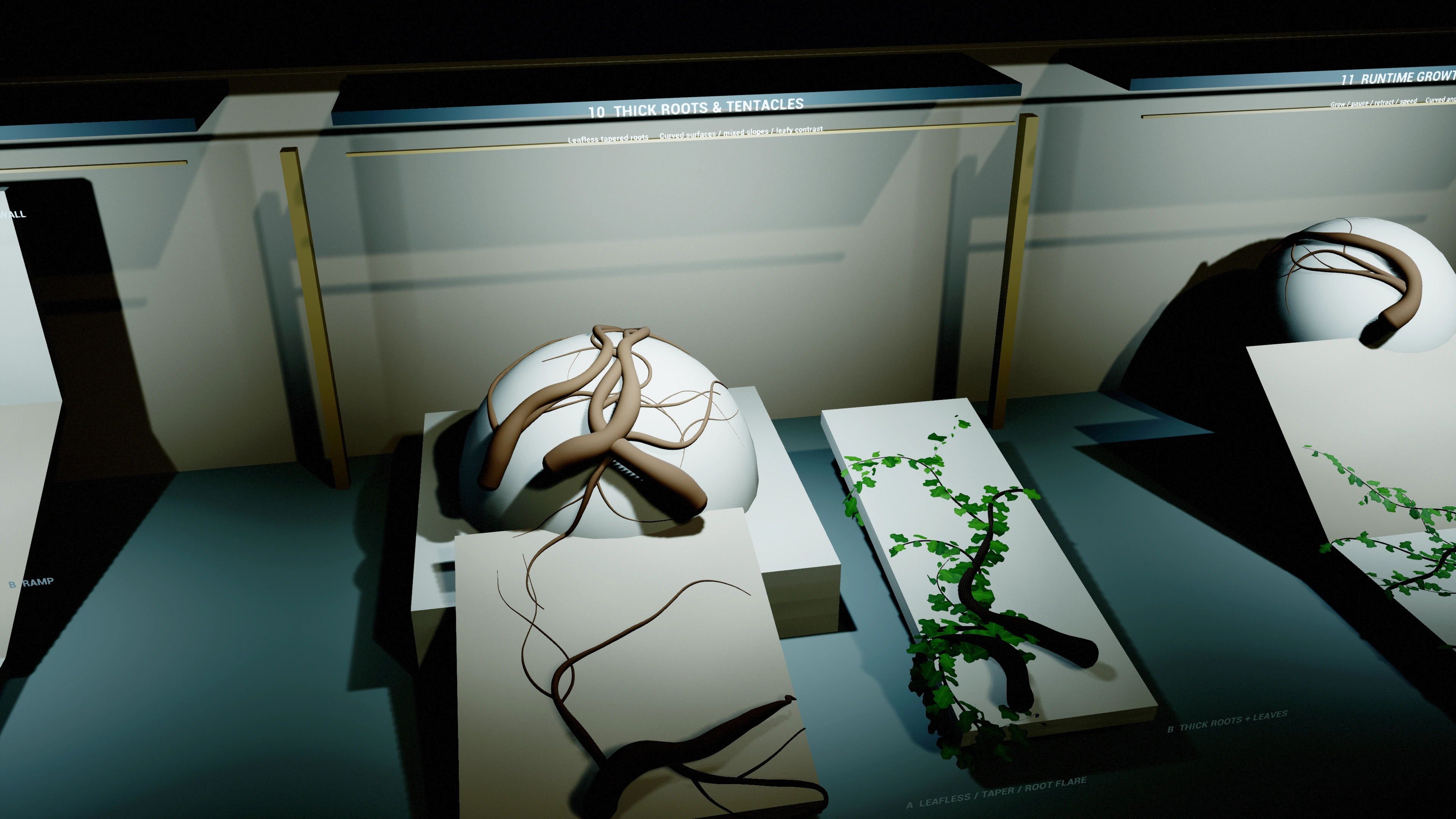
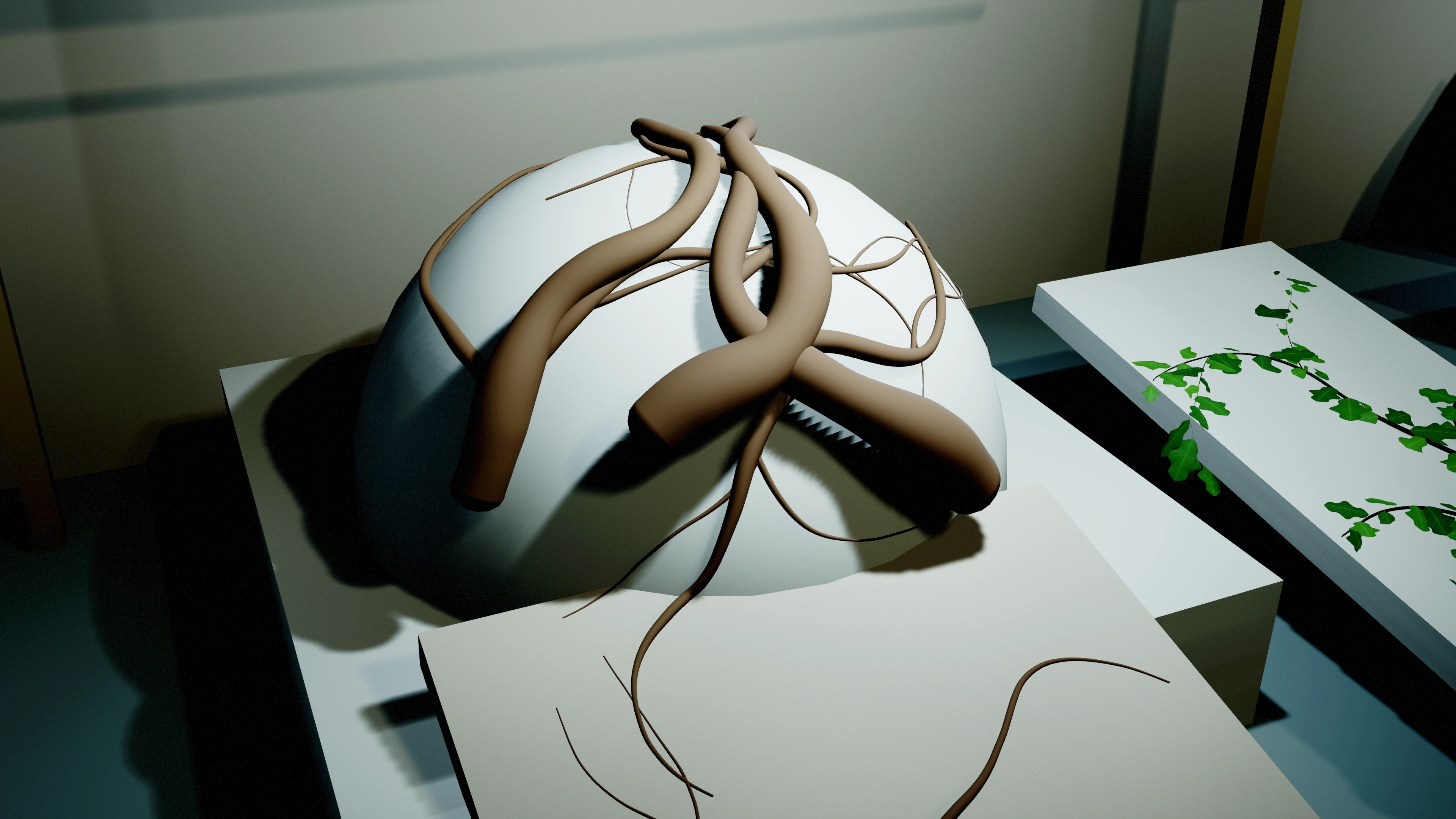
For tentacle-shaped growth, disable Snap To Surface and Spawn Leaves, use a tapered stem with Tip Curl Angle, and assign a suitable organic surface material. The curl changes generated path geometry; growth playback reveals that cached path.
Stem lighting follows the tapered, flared and irregular tube surface. Inspect it under neutral light before tuning roughness, normal-map strength or colour. Plugin materials and example-scene variants remain separate editable assets.
Curl a free-space tip
Disable Snap To Surface, choose Growth Direction, set a modest positive or negative Tip Curl Angle, then press Regenerate. Tip Curl Start chooses where the bend begins along each strand. The curl takes over from wander, upward bias and gravity in that span. A coarse path step turns at most 30°; reduce Step Distance for a tight curl over a short tip.
Use Growth Progress or forward/reverse playback to reveal the bent path. Changing curl settings requires regeneration; playback does not flex the already revealed body or drive a tentacle skeleton.
P_CurlingTendrils starts with Max Length 500 cm, Step Distance 6 cm, Trunk Radius 16 cm, Tip Radius 0.65 cm, Wander Strength 0.12, Wander Frequency 0.9, Growth Direction (0.45, 0.04, 0.89), Tip Curl Angle 260° and Tip Curl Start 0.55. Surface snapping and leaves are disabled. These are editable preset values, not actor defaults. Actor placement and rotation stay separate; place the base into the supporting ground because free-space paths do not attach themselves to it.
Compare stem twist
In Vine Stems, keep Random Seed fixed, use a visible bark material and set Stem Radius Noise above zero. Compare Stem Twist = 0 with a small positive or negative value. Check the close silhouette and bark grain before increasing it.
Make the material respond to the actor
- Assign a bark material to Stem Material and check its texture scale on a close strand.
- Use the generated UVs with Stem UV World Size and Stem UV Tiling to align bark repetition.
- If you want Stem Tint to change the bark color, multiply the material's color by Vertex Color RGB.
- Use Spline Subdivisions to smooth the path along its length and Radial Segments to smooth its cross-section. For thick roots or tendril close-ups, compare Radial Segments = 48 or 64 against the lower setting at the intended camera distance. These are example values; the default remains 10. Lower Step Distance only when the underlying surface path needs more samples.
Stem query collision is intended for traces, including the climbing component. It is not a rigid-body simulation or a navigation obstacle. Asynchronous collision cooking may complete after the rendered geometry changes; test climbing on the supporting wall as well as the stems.
Smoothing can bend the rendered tube away from the collision-tested path samples. Inspect tight surface and exclusion corners. Increase exclusion padding, reduce Spline Subdivisions or reduce Step Distance when needed, then regenerate and compare the result.
Make thick roots or tentacle-shaped stems
- Disable Spawn Leaves to expose the stem silhouette. Begin with a small number of roots and low branch depth so the shape stays readable.
- Increase Trunk Radius and keep Tip Radius smaller for taper. For example, try 25 cm and 3 cm at unit actor scale, then tune them to your scene. These are suggested starting values, not defaults.
- Adjust Stem Root Flare, radius variation and meander to create irregular thick roots. Increase Spline Subdivisions only after the underlying path follows the support well.
- For roots across ground or curved collision, enable Allow Horizontal Surfaces and choose an explicit tangent Growth Direction. Inspect the extra surface clearance caused by the larger stem radius and flare.
- Assign a suitable Stem Material. Use the separate growth playback controls to reveal or retract the generated root when animation is needed.
With Allow Horizontal Surfaces enabled, supporting clearance follows the stem's taper, flare and radius variation. Child branches take their starting thickness from the parent's attachment area. In wall-only, general-surface and free growth modes, tight bends can reduce the local rendered radius to keep the tube from folding through the turn. This limit accounts for child-branch flare and the widest oval cross-section from radius variation. Radius controls shape the result; they do not promise constant thickness around every curve.
Branches are separate tube strands that overlap at their attachments, not welded mesh unions. Inspect dense crossings and tight curves: this is not a guarantee against every self-intersection.
The tentacle examples demonstrate thick, tapered procedural shapes. They do not include skeletal deformation, physical tentacle motion, inverse kinematics or wind. If stem collision is unnecessary, disable it; repeated animated geometry updates can otherwise trigger additional collision-cooking work.
Check a bend before adding foliage
- Frame the whole stem, including its root, branch attachments and tip. Keep Random Seed fixed while comparing changes.
- Disable Spawn Leaves. Temporarily set Stem Radius Noise = 0 and Stem Twist = 0 to inspect the underlying tube clearly.
- Compare Trunk Radius and Stem Root Flare one at a time. Let regeneration finish after each change, then inspect the inside of tight turns and contact with the supporting surface.
- If the path itself is too angular, compare Spline Subdivisions = 1 and 3. Reduce Step Distance and regenerate when the collision-following route needs closer samples; subdivisions alone do not add collision samples.
- Restore radius variation, twist and leaves gradually. Check the same full stem again, and test partial growth when using growth playback.