Regenerate from Blueprint
- Keep a reference to the placed or spawned Procedural Vine Actor.
- Edit its Settings struct. In Blueprint, use Set Members in Vine Growth Settings on a copy and assign the result back to Settings, or set the exposed actor fields you need.
- Call Regenerate once after the changes. Do not call it every Tick: each request cancels the previous one.
- Use a timer or a gated Tick to read Is Generating. When it becomes false, read Get Strand Count, Get Total Strand Length and the timing fields. Alternatively bind On Generation Finished, which fires after generation and geometry upload settle.
- Call Clear to cancel a queued rebuild and remove its result. Regenerate later to build again.
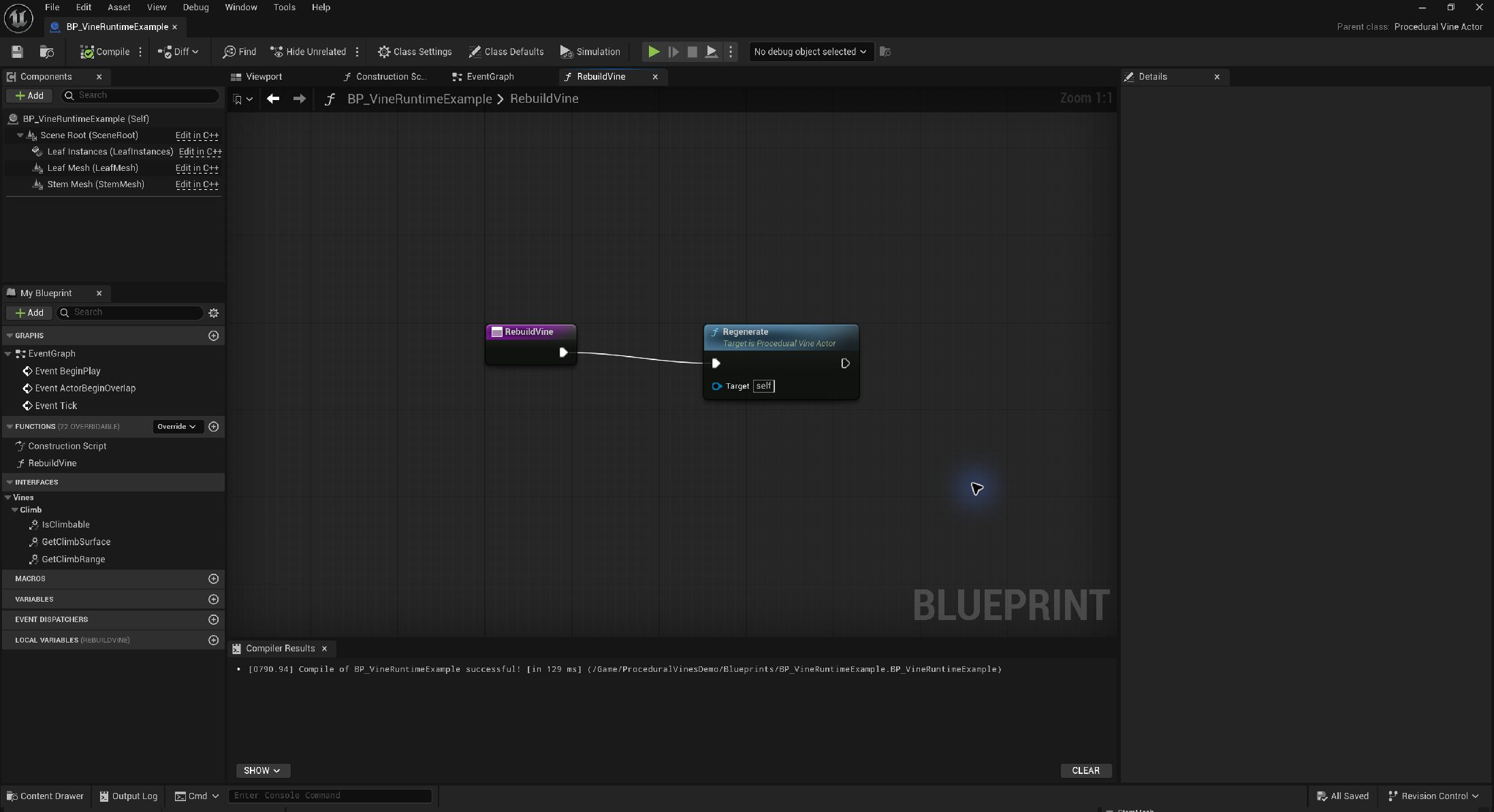
During generation, count and length queries continue to describe the last completed strands. Clear resets them. Is Generating becoming false indicates job completion, not successful surface placement; verify a nonzero strand count when you expect geometry.
Understand the timing fields
Swipe the table to read every column.
| Parameter | Default / type | Effect and use |
|---|---|---|
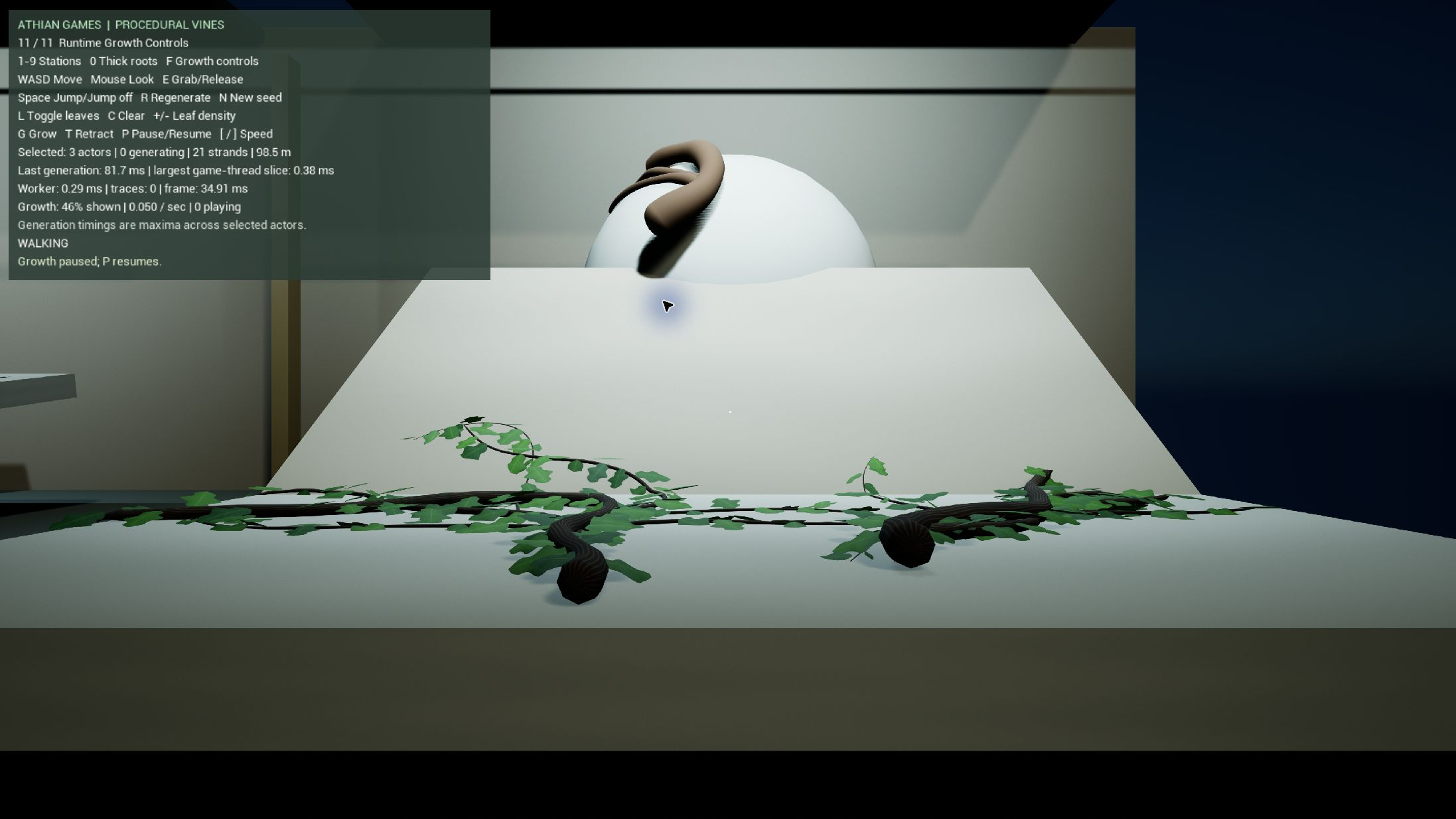
| Last Generation Milliseconds | 0 initially / milliseconds | Elapsed time from the start of the most recent completed job through geometry application. Includes time spread across frames; it is not one frame's cost. |
| Last Max Game Thread Slice Milliseconds | 0 initially / milliseconds | Largest measured game-thread slice of the completed job. This is not overall frame time or a guaranteed maximum. |
| Last Geometry Worker Milliseconds | 0 initially / milliseconds | Measured stem/leaf geometry construction time on the worker. Excludes the complete end-to-end request. |
| Last Surface Trace Count | 0 initially / integer | Collision rays issued by the most recently completed job. A cached reveal job reports 0; this count does not include unrelated scene queries. |
| Get Strand Count | Integer | Number of stored strands from the completed job. |
| Get Total Strand Length | Float / local path units | Sum of unsmoothed stored strand lengths; centimetres at unit actor scale. |
These diagnostics are replaced after each completed job, including cached playback geometry updates. Surface tracing runs in slices on the game thread, geometry buffers are constructed on a worker, and results are applied on the game thread. The shared slice budget is a scheduling target. Mesh uploads and collision work can exceed it; the plugin does not promise a fixed frame rate or a strict two-millisecond limit.
Measure total frame time separately with Unreal's profiling tools. Compare the same camera, resolution, lighting, collision configuration and hardware. Instanced leaf rendering still has material, shadow and mesh costs.
Reduce cost deliberately
Swipe the table to read every column.
| Cost area | First controls |
|---|---|
| Growth work | Reduce Seed Count, Max Length, branching depth/probability, or increase Step Distance. Confirm the new path still follows corners. |
| Stem geometry | Reduce Radial Segments or Spline Subdivisions. Review silhouettes at the closest gameplay camera. |
| Leaf density | Increase Leaf Spacing, reduce Leaves Per Node or Leaf Spawn Chance, and use lower-cost source meshes/materials. |
| Collision | Disable Generate Stem Collision when gameplay only needs the underlying supporting meshes. Leaves are always non-colliding. |
| Repeated updates | Batch parameter changes into one Regenerate call and wait for completion before requesting another. |
Saved paths are reconstructed on load and Begin Play. This avoids rerunning the original growth choices where paths exist, but render data still needs setup. Benchmark both startup and steady state.