A separate environment example
Overgrown Sanctuary is a separate gameplay environment in the example project, using original stone terraces, arches, an aqueduct and ivy source art. Explore the terraces and stairs in first person, then use the selected pier ivy to try cached growth playback.
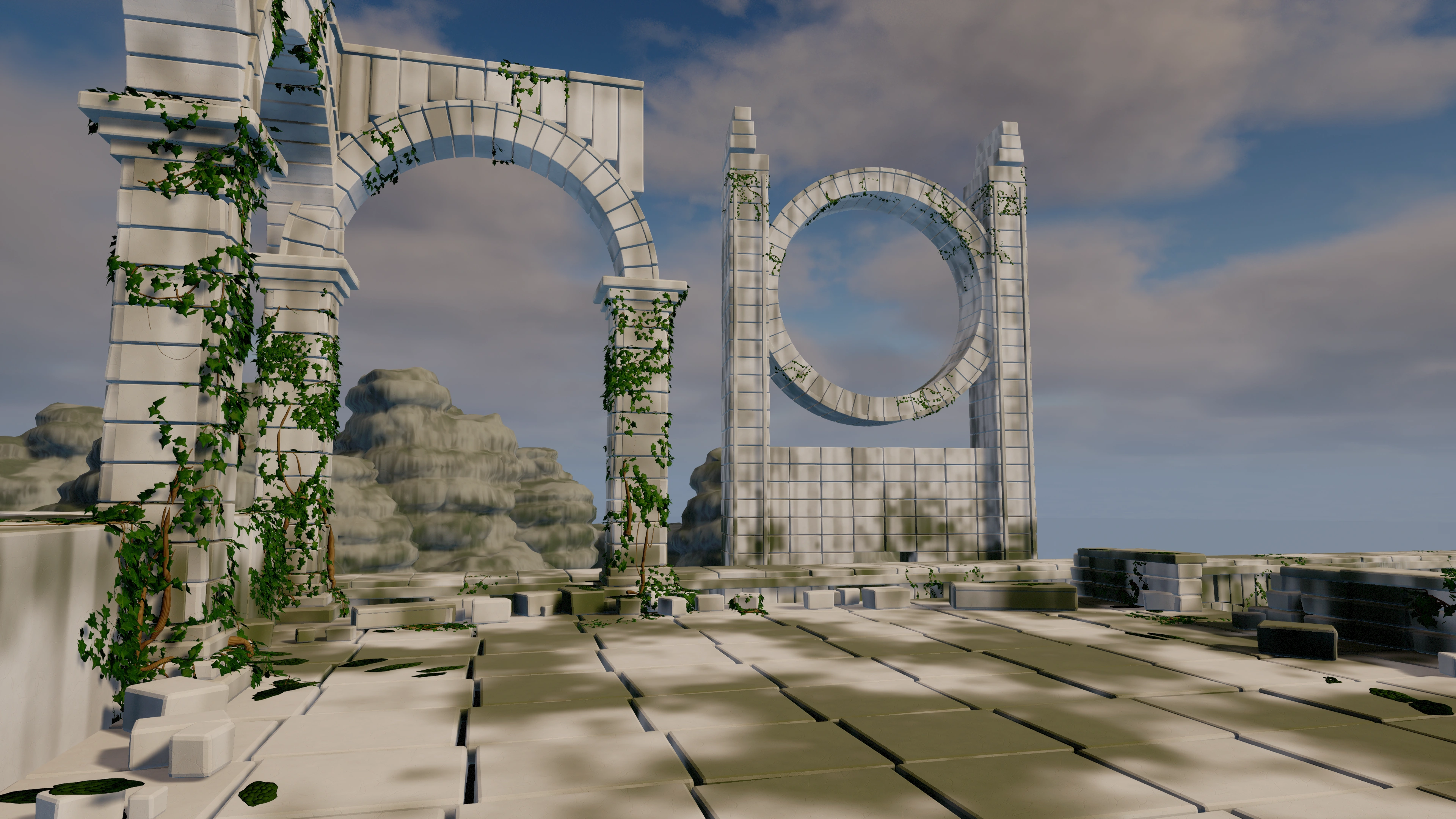
The Demonstration level remains the reference for isolated feature stations. Its full station-selection layout and diagnostic HUD belong to L_VineGallery. The sanctuary uses BP_SanctuaryGameMode with the native first-person VinesDemoCharacter and the base HUD, without the exhibit HUD.
Original editable source
The environment's architecture, ivy leaves and procedural material sources were authored in Blender. Source art is copyright © 2026 Athian Games. A separate Blender source archive contains four editable .blend files, 32 FBX files and 12 texture maps. It contains authoring assets rather than the Unreal map, lighting or plugin.
Swipe the table to read every column.
| Authoring source | Purpose |
|---|---|
| OvergrownSanctuary_Architecture.blend | Assembled architectural source and 23 modular FBX meshes. The source manifest records 251 placements; final Unreal dressing can differ. |
| Sanctuary_Ivy_Leaves.blend | Four original ivy shapes with petiole attachment origins and packed texture maps. The source archive retains separate high- and lower-triangle FBX files. The four imported Unreal leaf assets have LOD0 at 944 triangles and LOD1 at 224 triangles. |
| SanctuaryProceduralMaterials.blend | Editable Blender node sources for limestone, root bark and moss, with Base Color, Roughness and tangent-space Normal bakes. |
| Sanctuary_MossCushion.blend | Original moss-cushion geometry and its separate FBX mesh for small accents on stone surfaces. |
Blender preview renders show the source assets. Use the final Unreal views to judge the integrated environment's materials, foliage and lighting.
Open the sanctuary map
The environment's map entry point is /Game/ProceduralVinesDemo/Environments/OvergrownSanctuary/Maps/L_OvergrownSanctuary.
- Open the Unreal Engine 5.8 example project with the matching Procedural Vines plugin installed separately.
- In the Content Browser, navigate to ProceduralVinesDemo → Environments → OvergrownSanctuary → Maps and open L_OvergrownSanctuary when using the example build that contains this environment.
- Select a Procedural Vine Actor in the scene and inspect its Vine Growth, Vine Surface and material assignments before changing the layout.
For the editable three-shot camera tour, open /Game/ProceduralVinesDemo/Environments/OvergrownSanctuary/Sequences/LS_SanctuaryTour in Sequencer.
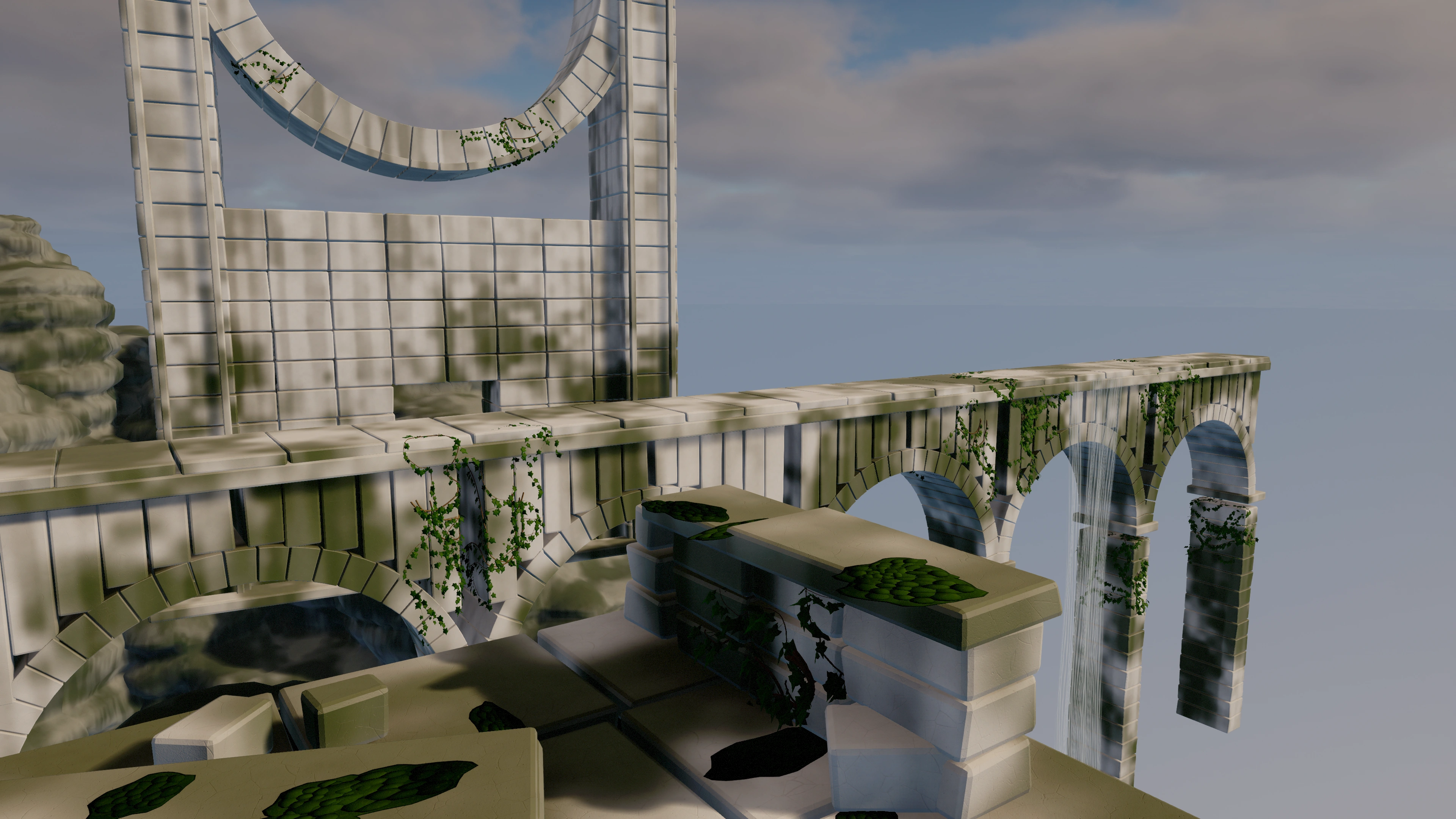
Sanctuary play controls
Swipe the table to read every column.
| Input | Action |
|---|---|
| W / A / S / D · Mouse · Space | Move, look and jump with the first-person Character. |
| 1 | Select the first pier ivy for the runtime vine controls. |
| T / G | Retract / grow the selected ivy along its generated path. |
| P | Pause or resume the selected ivy's playback. |
| [ / ] | Decrease / increase playback speed. |
These inputs use the example Character. Growth controls act on the selected pier ivy and reveal or retract its cached path; they do not simulate the whole environment growing.
Environment leaf and stem assets
Look under /Game/ProceduralVinesDemo/Environments/OvergrownSanctuary for the imported scene assets. The leaf variations are SM_IvyLeaf_MatureA, SM_IvyLeaf_MatureB, SM_IvyLeaf_Curled and SM_IvyLeaf_Young. Each has the two imported LODs described above; inspect its LOD settings in the Static Mesh Editor when changing viewing distances.
Swipe the table to read every column.
| Path below the environment root | Actor property | Use |
|---|---|---|
| Materials/M_SanctuaryIvy | Leaf Material | Material for the imported instanced ivy leaves. |
| Materials/M_SanctuaryBark | Stem Material | Bark material for generated stems; use the stem UV controls to tune repetition. |
The scene's materials and source art are separate from the plugin's core materials. Assign the scene ivy meshes and materials explicitly when reusing this look on another Procedural Vine Actor.
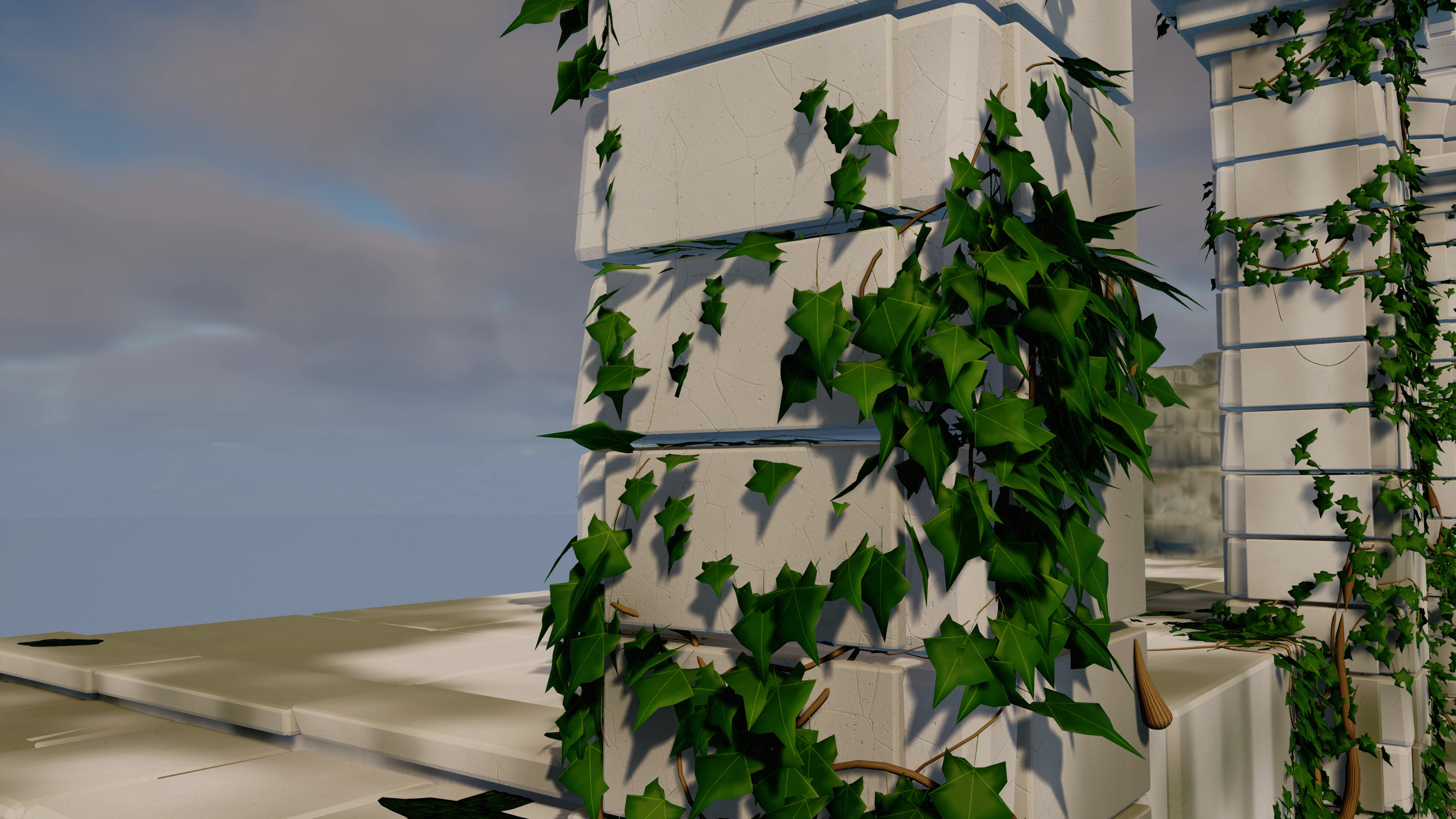
Author vines against the stone supports
- Check that the supporting architecture blocks Surface Trace Channel. Collision should preserve arch openings and the stone faces you want to follow. Decorative leaf meshes should not add collision to those traces.
- Keep the actor origin outside the supporting collision. Enable Snap To Surface and Allow Horizontal Surfaces for floor, curved-stone or connected-support routes. Match Trace Complex to the intended support collision.
- Begin with one seed, no branches and no leaves. Choose the actor-local Growth Direction, then Regenerate and wait for Is Generating to become false. For floor creepers, use direction (1, 0, 0), Upward Bias 0 and Gravity Sag 0 as starting values.
- Tune Step Distance and trace reach at stairs, corners and seams. Restore branches gradually, varying seeds and root placement to build irregular coverage. Surface-snapped growth still needs collision support across the route.
- Assign the imported ivy meshes through Leaf Variation Meshes and the matching material through Leaf Material. Use Leaf Instance Scale and Leaf Instance Tilt for these mesh leaves. Leaf Size Range, Leaf Size Variation and Leaf Length Ratio also affect imported mesh instance size. Leaf Length Ratio scales the whole instance; it does not change the blade proportions. Leaf Pitch Range and procedural quad tint do not tilt or recolor mesh instances.
Layer thicker leafless stems with finer foliage-bearing vines where the design calls for exposed roots. Parent attachment thickness and tight bends can limit the final rendered radius. Use world-space exclusions to reserve access routes and openings; check the generated stems and leaves after every layout change. See Stem shape and materials and Leaf rendering for the complete controls.
When importing the original art
Swipe the table to read every column.
| Check | Source-informed setup |
|---|---|
| Architectural FBX scale | Most architectural FBXs use metre unit metadata. Enable scene/unit conversion, keep import scale 1 and verify a flagstone is approximately 145 × 127 × 18 cm before assembling more meshes. Check the orientation of asymmetric stairs and terraces after import. |
| Mountain FBX scale | The three final SM_Sanctuary_Mountain_* FBXs use explicit centimetre coordinates with UnitScaleFactor approximately 1. Import at scale 1 without compensating actor scale. Width and depth should be about 1,520 × 1,360 cm, with heights about 1,521–1,714 cm. Their editable Blender source remains in metres. |
| Ivy mesh orientation | The source uses centimetres, local +X from petiole to tip and +Z out of the blade. Preserve the attachment origin, smooth normals and UVs. Verify the imported longest positive axis still points toward the tip. |
| Texture color space | Use sRGB for Base Color. Disable sRGB for Roughness and Normal maps. |
| Normal maps | Source normals use OpenGL +Y. Use Normal Map compression and enable Flip Green Channel on import into Unreal. |
| Leaf material | Use the imported mesh's material or assign Leaf Material on the vine actor to override material slot 0. Keep decorative leaf collision disabled. |
These are import and authoring checks. Inspect the imported scale, orientation, collision and material response in Unreal before increasing scene density.