Choose a toon preset
Enable Show Plugin Content, then open Procedural Plant Creator Content / Presets / Toon. Duplicate a PG_Toon_ graph into your project and open it. These are additional graph assets; the New Plant Graph starter choices remain available.
| Folder | Presets |
|---|---|
| Trees | EmeraldOak, LimeOak, AmberMaple, CrimsonMaple, LavenderJacaranda, RoseBlossom, AppleTree, OliveTree |
| Palms | Banana, DwarfBanana |
| Succulents | BlueAgave, SageAgave |
| Ferns | RoyalFern, FanFern |
| Bushes | RoundBush, LimeBush, BerryBush, LavenderBush |
| Grasses | MeadowTuft, LimeTuft, GoldenTuft, BlueTuft, BroadGrass, FlowerGrass |
Edit shape and structure
EmeraldOak, LimeOak, LavenderJacaranda, RoseBlossom, AppleTree, RoundBush, LimeBush, BerryBush and LavenderBush build their crowns from layered modeled leaves. Their existing preset paths remain the same; the graphs include visible branch forks, a flared root collar and carved bark grain.
- Start with Seed and Height. The nine layered presets expose CrownSpread for primary branch reach, LeafDensity for sprays per terminal branch and LeafSize for spray scale. Other woody presets retain LeafSize and LeafCount; rosettes use LeafLength, LeafWidth and LeafCount.
- Follow SILHOUETTE on the layered presets: trunk, Roots and three branch orders. Adjust root reach and collar shape on Roots, keeping TrunkRadius matched to the trunk. Skin and Flute provide the wood surface and grain. Other recipes use STRUCTURE with two branch orders. Keep the wood outputs connected to Join Geometry.
- Edit the LEAF SILHOUETTE or SILHOUETTE section. Maple leaves join five modeled lobes. Banana uses broad Fronds and a Fruit bunch; fern leaflets use Split Depth; agaves use stiff pointed blades; grass combines two upright layers.
- Keep leaf instances connected to their branch curves. Balance Angle Rand, Azimuth Jitter, Roll Rand and Face Up while reviewing the complete crown; excessive rotation can make neighboring sprays cross and obscure the branches.
- In LEAF DETAIL, thin Frond blades form an asymmetric spray in three offset layers. Foliage places sprays on terminal branches, with smaller leaves on secondary branches. Tune LeafDensity before enlarging LeafSize so visible gaps remain between leaf groups.
- Build and inspect the complete plant. Use a Procedural Plant Actor for per-instance changes, or re-export a complete scatter mesh for foliage placement.
Painted materials live in /ProceduralPlantCreator/Materials/Toon/Handpainted. Duplicate an MI_Painted_ instance before editing. Bark exposes Base, Ridge, Groove, GrainCount and Contrast. Modeled leaves expose Base, Tip, Edge, Vein, VeinStrength and Transmission with two-sided foliage shading. Assign these to the graph's bark and leaf slots. The separate default-lit M_PaintedSolid uses a Base color for fruit and stems, giving a neutral surface response without leaf-vein patterns. Material nodes and generated mesh UVs provide the painted detail; leaf outlines come from geometry. The original M_ToonPlant and MI_Toon_ palettes remain available in the parent Toon folder with their Color control.
Explore the paved woodland
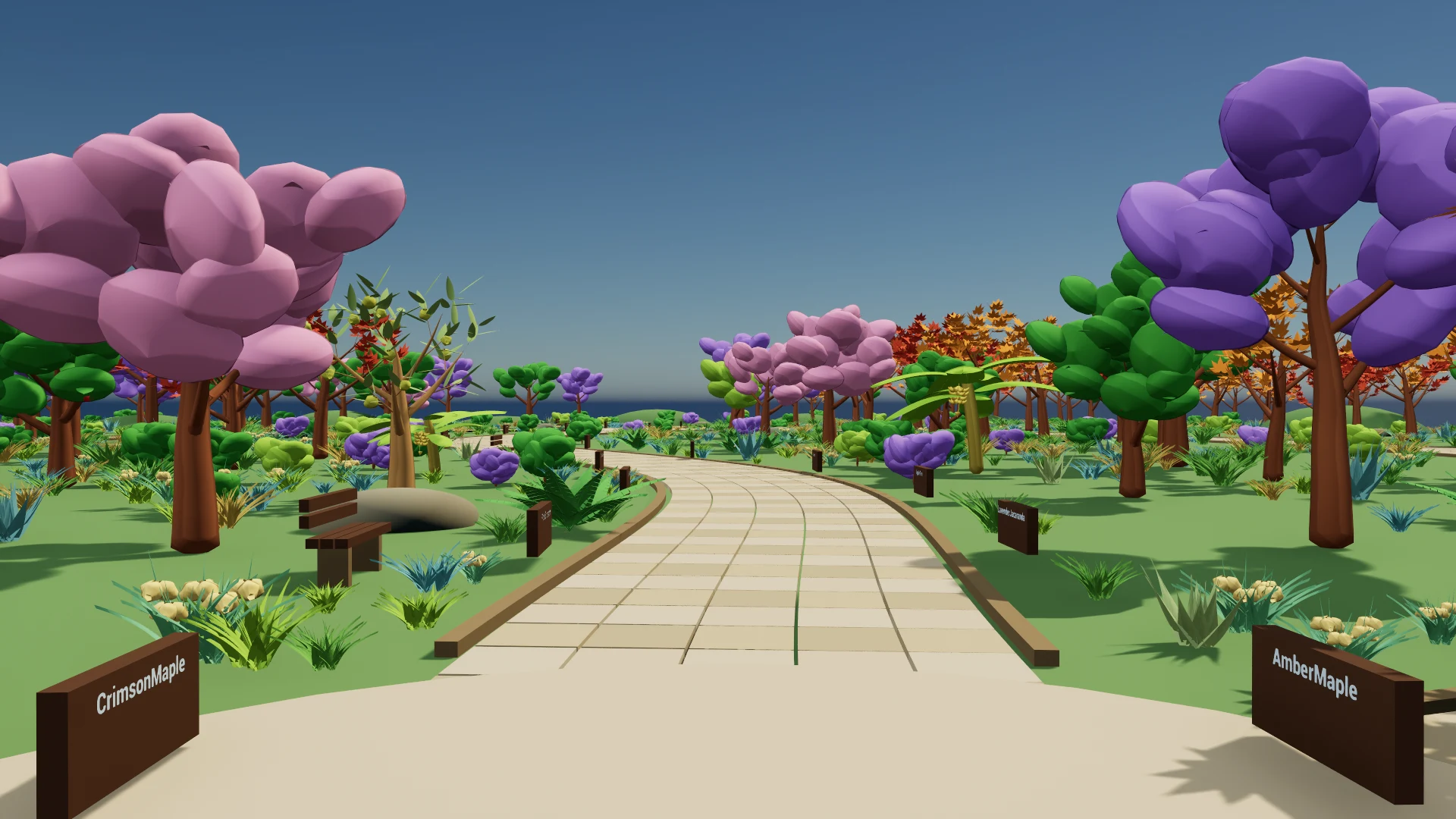
Open /Game/Examples/Maps/L_ProceduralPlant_ToonForest. A winding walk and loop pass autumn trees, tropical planting and a lavender glade. The central walk has one labeled editable actor for every preset. Select an actor and use its plant component's Graph property to open the source. These editable actors use Build at Runtime, so their graph controls also apply in Play.
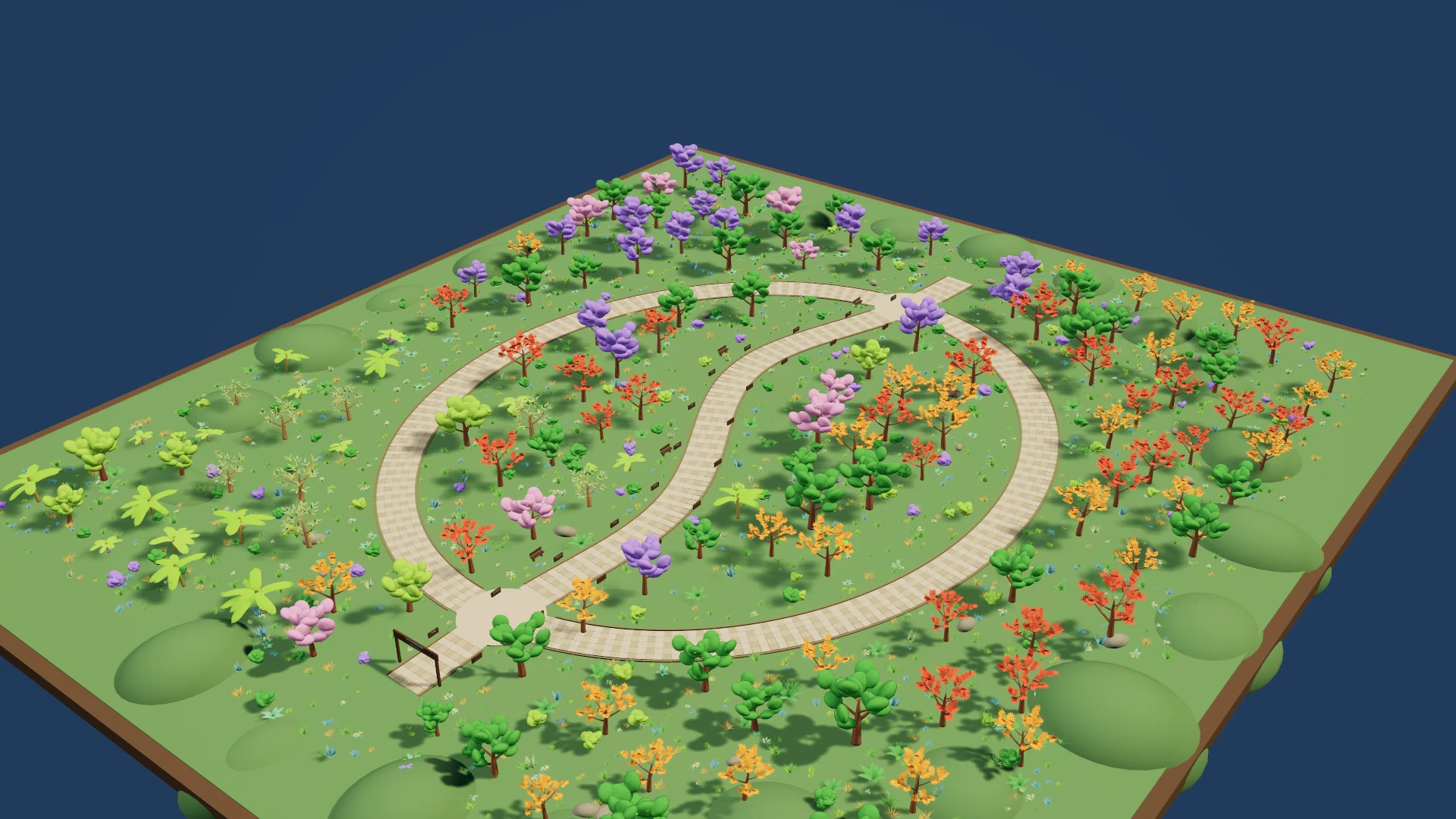
Scene meshes, paving materials and foliage types live under /Game/Examples/ToonForest. The wider forest uses two baked seed variants per preset. The plugin presets depend only on plugin and engine assets; the forest map remains in the example project.