1. Grass from Empty Graph
Short support curves place narrow Frond blades. They are deliberately not skinned into woody stems.
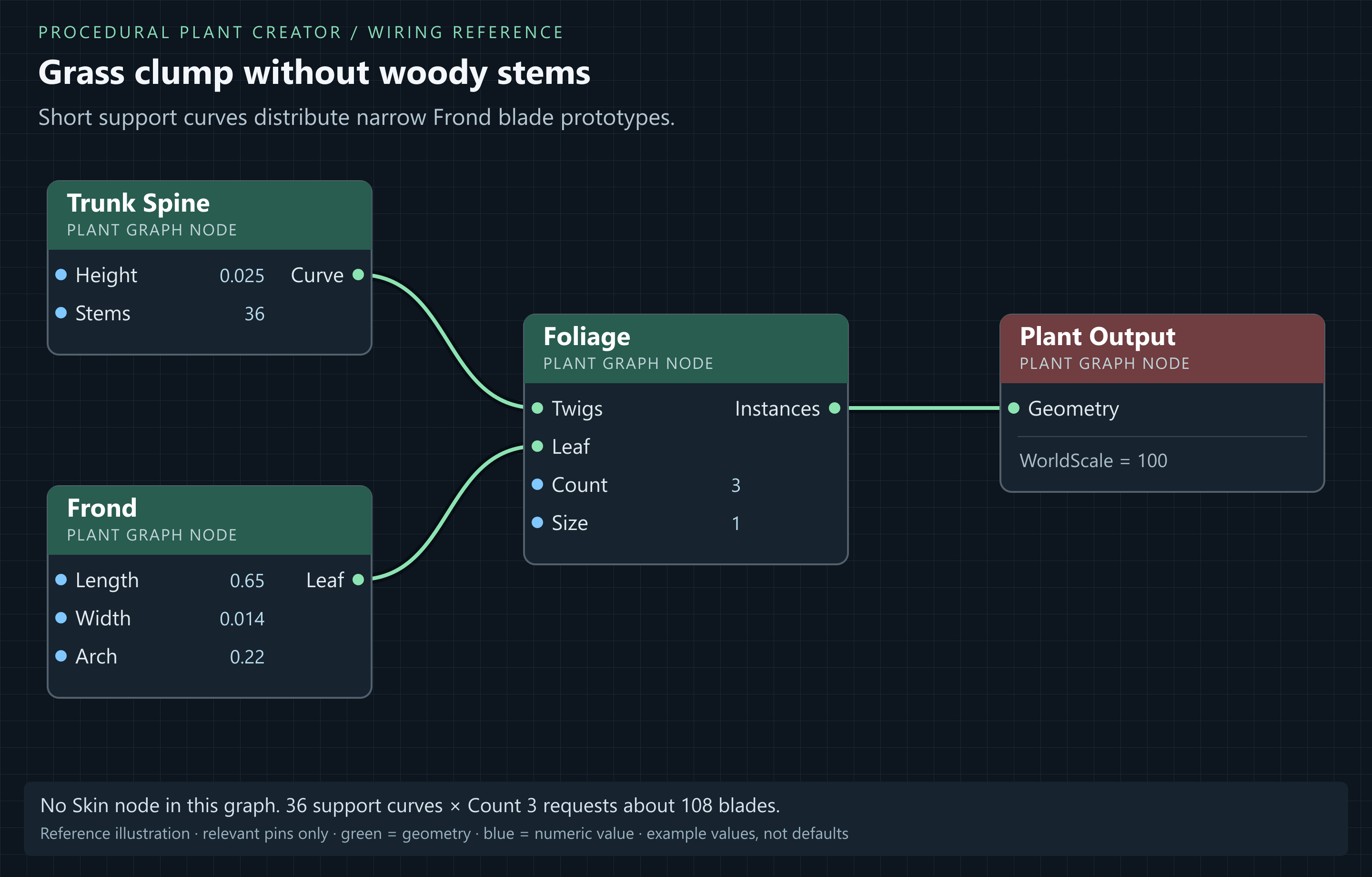
- Create PG_Grass_Upright with Empty Graph. Add Trunk Spine, Frond, Foliage and Plant Output.
- Set Trunk Spine Height = 0.025, Radius = 0.002, Sink = 0, Flare = 0, Lean = 0, Gnarl = 0, Resolution = 4, Seed = 17 and Stems = 36. In Clump, set StemSpread = 0.12, StemLean = 0.1 and StemHeightVar = 0.35.
- Set Frond Length = 0.65, Width = 0.014, PetioleFraction = 0.03, Arch = 0.22, Fold = 0.1, Curl = 0.05, Twist = 0.1, Segments = 24, SegmentsAcross = 3, SplitDepth = 0 and MaterialSlot = 1.
- Connect Trunk Spine.Curve → Foliage.Twigs, Frond.Leaf → Foliage.Leaf and Foliage.Instances → Plant Output.Geometry. Do not add Skin to this simple grass graph.
- Set Foliage Count = 3, Seed = 17, TrimStart = 0, TrimEnd = 1, Size = 1, SizeRand = 0.3, Angle = 0.25, AngleRand = 0.18, AzJitter = 0.9, Droop = 0, FaceUp = 0, RollRand = 0.15 and MinLevel = -1.
- Keep Plant Output.WorldScale = 100. Assign a suitable two-sided grass/leaf material to Leaf Material. For shape testing, an opaque two-sided green material shows the full blade; an unrelated masked atlas can cut holes in it.
- Use Stems for the number of support curves and Foliage Count for blades per curve. Increase these for density; use Frond Width to control individual blade width.
Result: 36 curves × Count 3 requests about 108 blades. Length 0.65 at Size 1 gives a roughly 65 cm blade before arching. No thick supporting trunks should be visible.
2. Grass variations
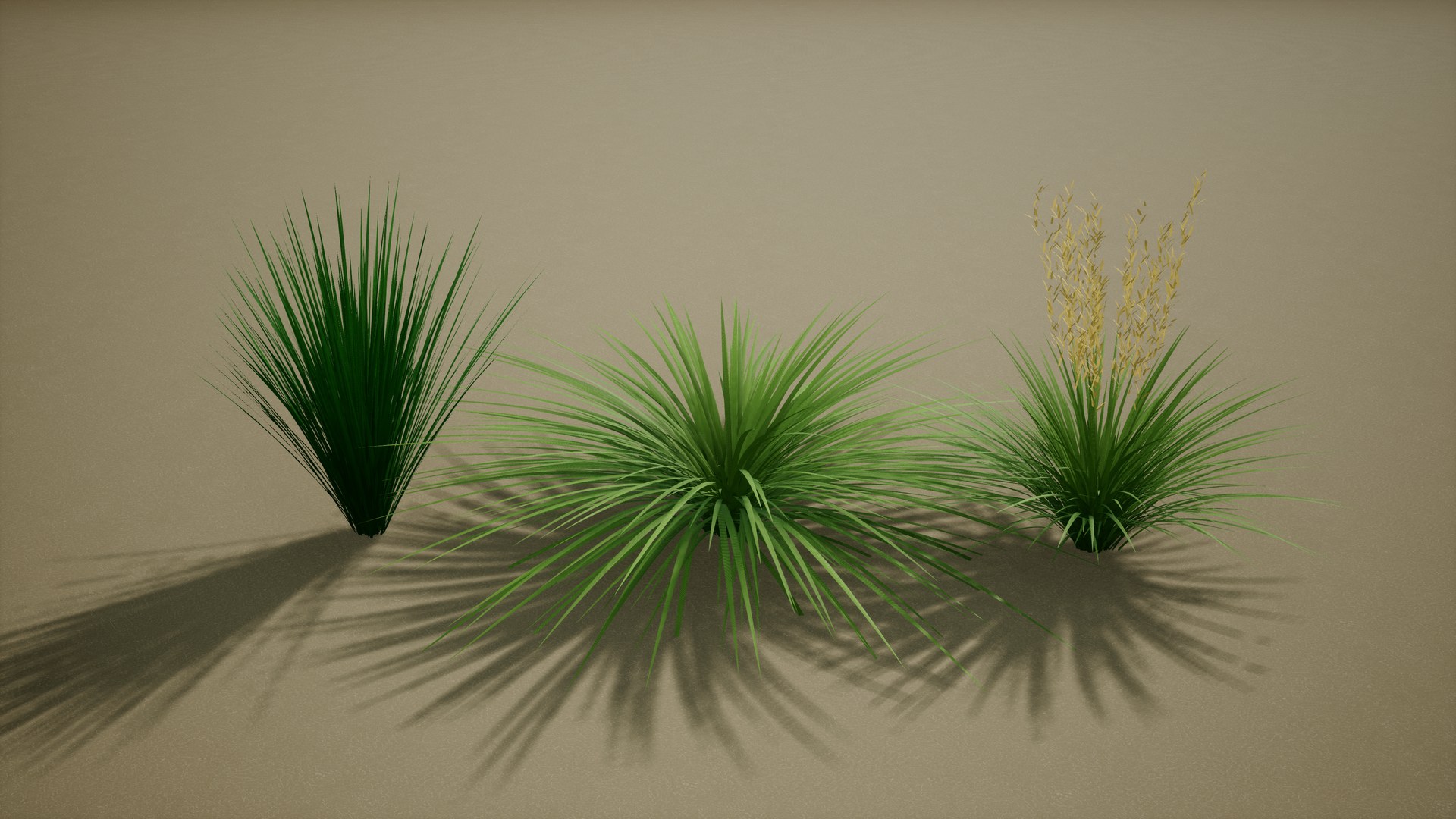
Use Frond dimensions and Arch with Trunk Spine clump settings to define different grass forms.
| Design | Length / Width (m) | Arch / Foliage Angle | Clump |
|---|---|---|---|
| Upright fine | 0.65 / 0.014 | 0.22 / 0.25 | 36 stems, spread 0.12 |
| Arching meadow | 0.8 / 0.012 | 0.55 / 0.4 | 40 stems, spread 0.15 |
| Low broad sedge | 0.4 / 0.022 | 0.4 / 0.65 | 30 stems, spread 0.16 |
| Tall narrow tuft | 1.05 / 0.009 | 0.15 / 0.18 | 32 stems, spread 0.1 |
Seed changes the individual arrangement, not the grass type or material colour. Flowering heads require a separate prototype and placement layer; increasing blade Count does not create them.
3. A small multi-stem bush
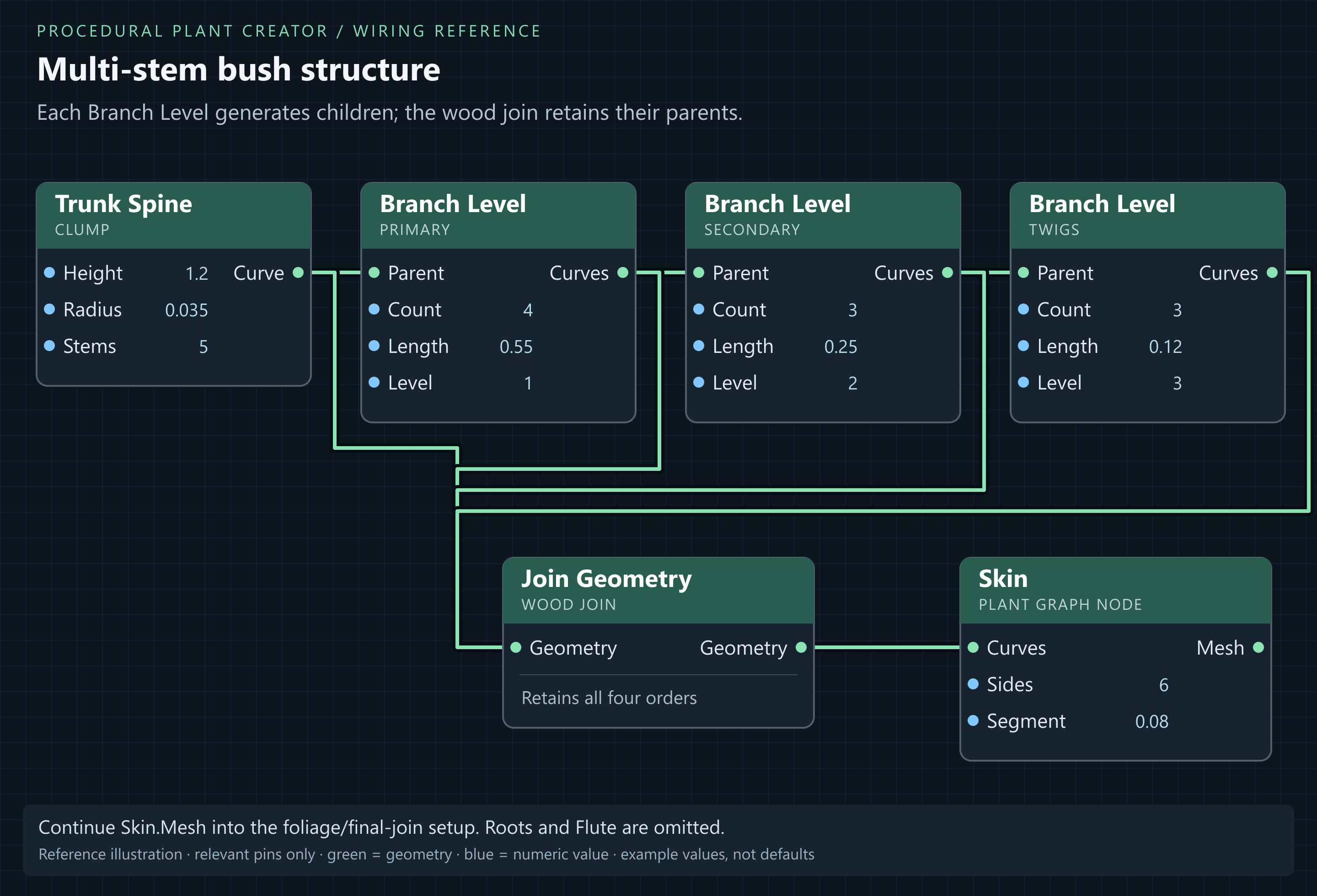
- Reuse the tree graph's branch, wood, leaf and output wiring in a separate Plant Graph.
- Set variables Height = 1.2 and TrunkRadius = 0.035. Set Trunk Spine Stems = 5, StemSpread = 0.15, StemLean = 0.25, StemHeightVar = 0.3, Sink = 0.05 and Flare = 0.08.
- Set Primary Length = 0.55, Count = 4 and TrimStart = 0.2. Set Secondary Length = 0.25 and Count = 3; Twigs Length = 0.12 and Count = 3. Each node acts on every incoming stem/branch.
- Disconnect Roots from the wood join and bypass Flute. Keep those nodes disconnected for reference if desired. Set Skin Sides = 6 and Segment = 0.08.
- Set Leaf Length = 0.08, Width = 0.035 and Foliage Count = 5. If these inputs are wired, change the driving variable/table instead. Build and inspect before increasing density.
- Duplicate for compact and spreading forms by changing StemSpread, branch Angle and Length. Create a separate Bush Starter to inspect the more developed Beach Rose recipe.
Result: Several thin stems and low branches form a shrub, rather than a scaled-down single-trunk tree.