Create the asset
With Procedural Plant Creator enabled, use Content Browser → right-click → Procedural → Plant Graph. Choose a template:
| Template | Result |
|---|---|
| Empty Graph | No preconfigured nodes. Use for a custom recipe. |
| Tree Starter | Editable Bare Ivory tree with trunk, roots and branches. |
| Grass Starter | Editable Marsh Sedge grass clump. |
| Bush Starter | Editable Beach Rose shrub with foliage and flowers. |
Choose Empty Graph, Tree Starter, Grass Starter or Bush Starter when creating an asset. For a species, enable Show Plugin Content and open Procedural Plant Creator Content/Presets. Each species has its own graph, grouped into Trees, Palms, Shrubs, Grasses, Ferns and Succulents. Duplicate a preset into your project to customize it. There is no species replacement command in an existing graph.
Inspect a parameter and its result
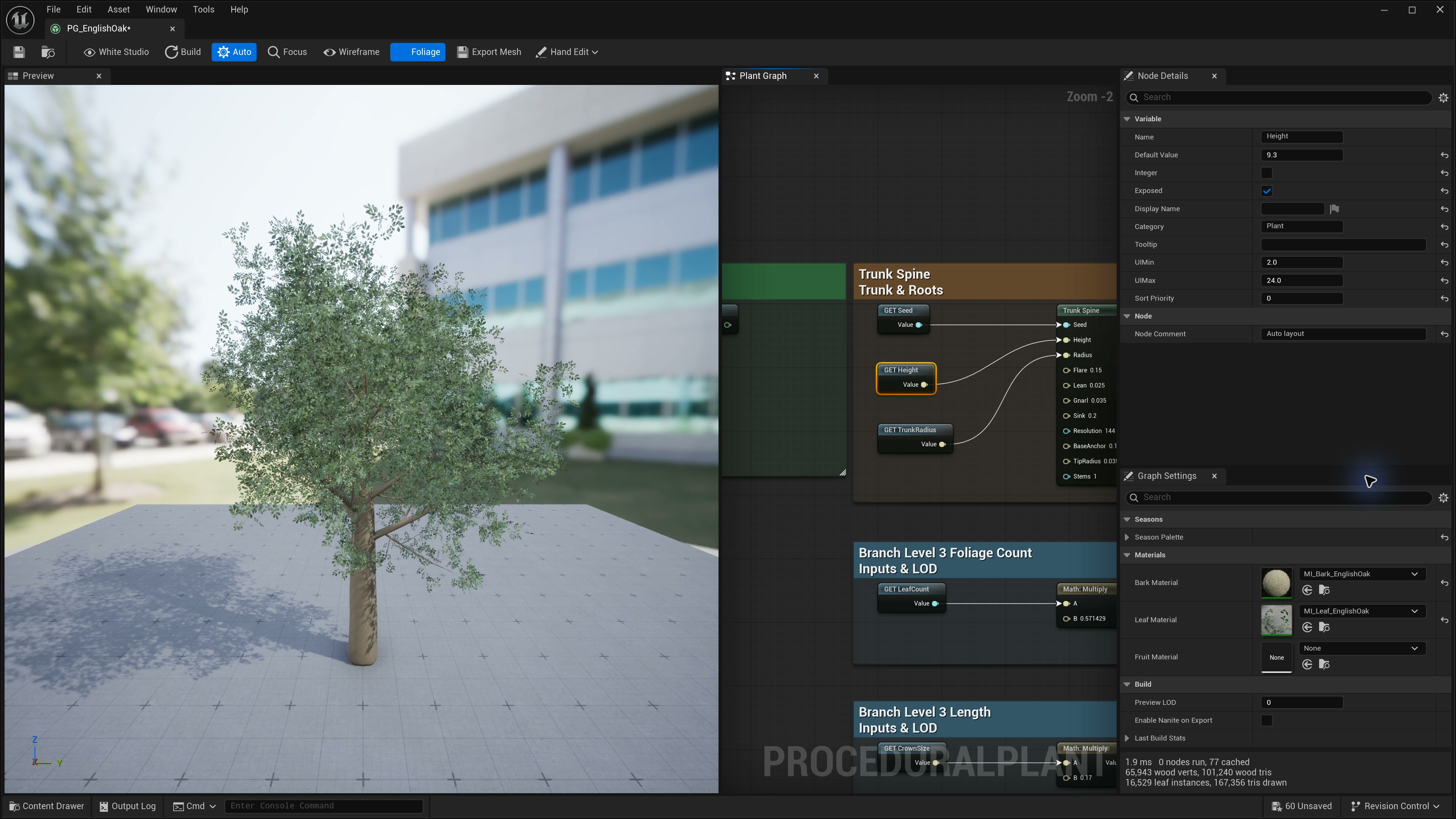
Minimum renderable graph
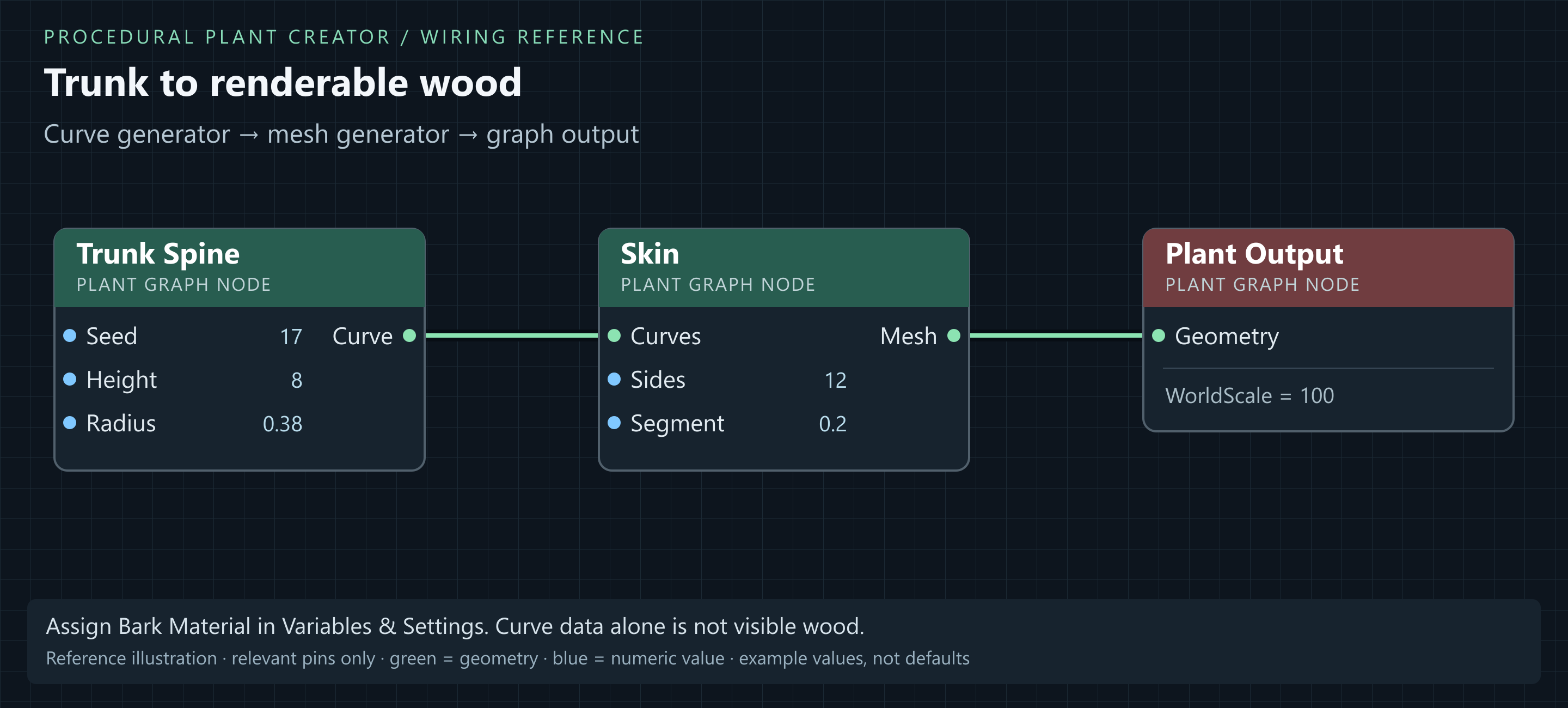
Trunk Spine.Curve → Skin.Curves
Skin.Mesh → Plant Output.Geometry
Set Plant Output.WorldScale = 100 for graph metres to Unreal centimetres. Assign Bark Material in Variables & Settings. Enable Auto or use Build to evaluate the graph.
Curve generators alone are not renderable wood. Foliage uses a separate prototype/instance path; see Tree Graph Setup.
Plant Graph editor controls
| Control / panel | Purpose |
|---|---|
| Selected-node Details | Edit node properties; wired inputs use incoming values. |
| Variables & Settings | Graph variables, exposed controls and material assignments. |
| Auto / Build | Auto rebuilds after edits. Build refreshes manually when Auto is off. |
| Focus | Frame the complete generated plant in the preview. |
| White Studio | Hide the preview floor/grid and inspect against white. |
| Foliage | Toggle leaf instances to inspect the branch structure. |
| Wireframe | Inspect tube sampling and leaf geometry. |
| Export Mesh | Create a separate Static Mesh from the graph result. |
| Hand Edit | Shape trunks, branches and roots, or turn individual leaves. Pick target filters make dense foliage easier to edit. |