Maps and source graphs
Maps are under Content/Examples/Maps; source recipes are under Content/Examples/PlantGraphs. The example archive excludes the plugin and requires a matching installed version.
A Procedural Plant Actor exposes its source through the component's Graph property. A Static Mesh specimen is a fixed export: edit its source graph and export again to update the shape.
| Map | Study |
|---|---|
| L_ProceduralPlant_Gallery | Labeled beds for grasses, shrubs, flowering plants and concept trees; older downloads may retain separate study maps. |
| L_ProceduralPlant_Showcase | Living Collection: broadleaf, orchard, conifers, understory and warm-climate plants. |
| L_ProceduralPlant_ToonForest | Separate toon woodland with paved paths, labeled editable plants and baked seed variants. |
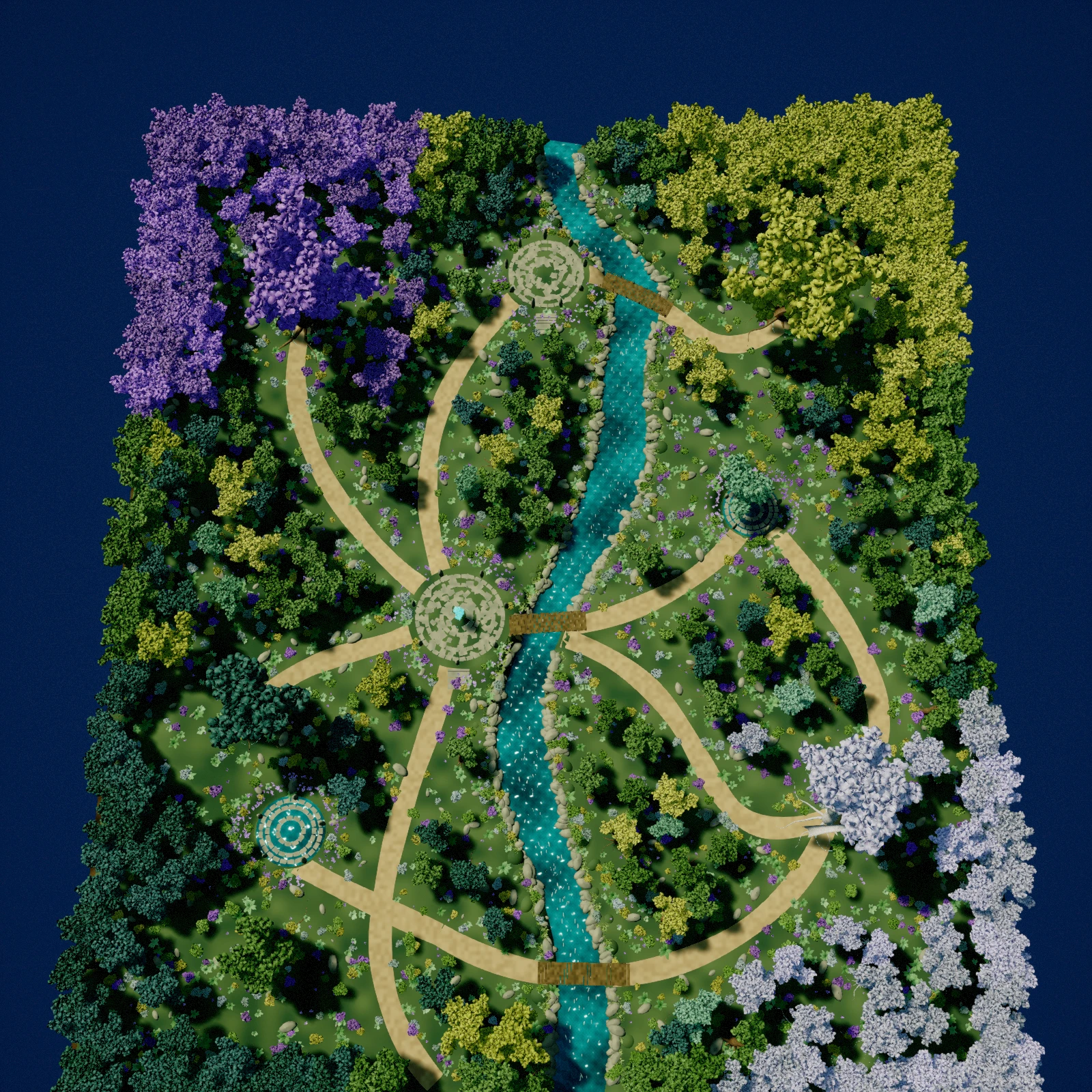
| L_ProceduralPlant_EnchantedGrove | Semi-stylized forest: winding stream, timber bridges, stone sanctuaries and violet, gold, jade and silver canopy groves. |
| L_ProceduralPlant_Forest | Mixed canopy and layered groundcover. |
| L_PCGForest_RoadDemo | PCG canopy and understory with a terrain-projected spline road; available in the current working example project. |
| L_ProceduralPlant_Marsh | Willow, reeds, sedge and wetland banks. |
| L_ProceduralPlant_OpenWorld | Landscape/PCG regions. Load the region in World Partition before inspection. |
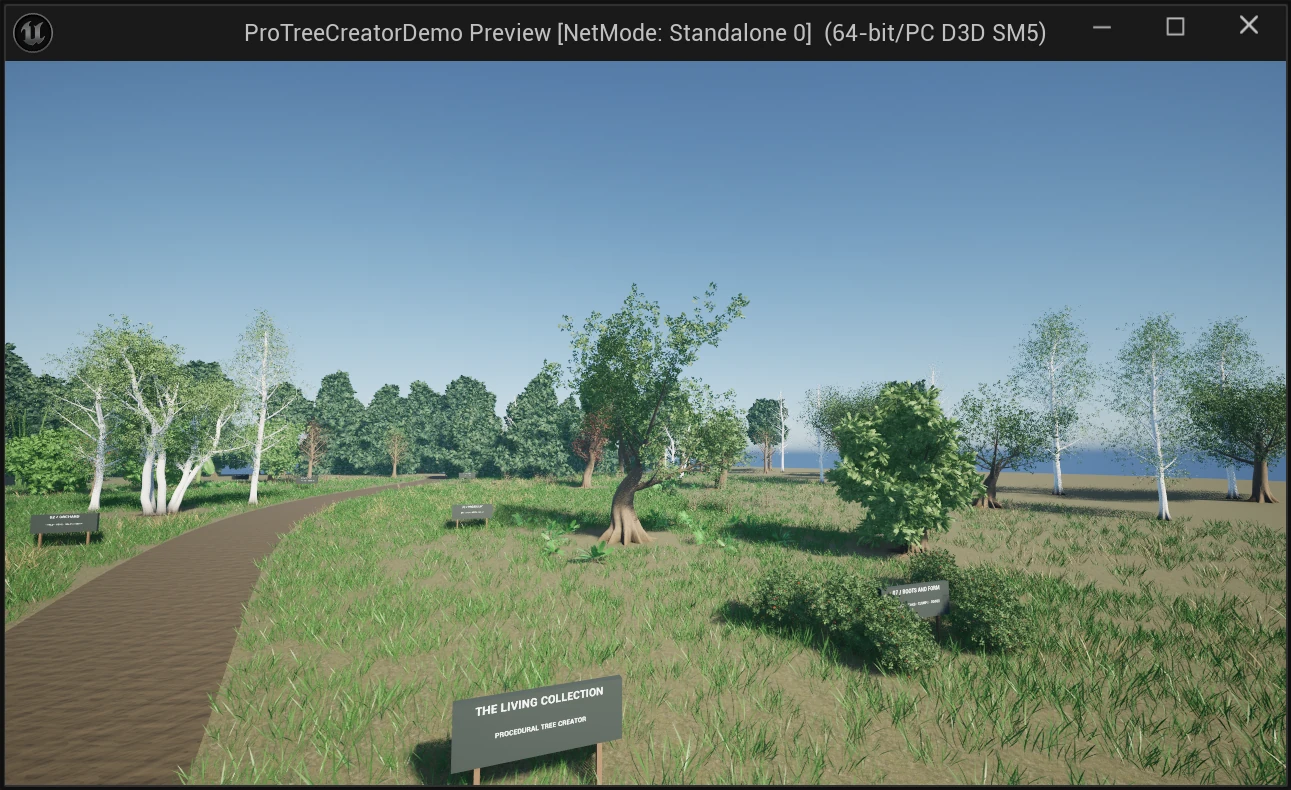
Canonical species graphs live in /ProceduralPlantCreator/Presets. The separate example includes species and gallery maps for inspecting finished plants. Customized Concepts, Arboretum, GrassCollection12, MarshRuntime and other example graphs remain under Content/Examples/PlantGraphs; the example maps remain under Content/Examples/Maps. Older species paths may resolve through compatibility redirectors.
Enchanted Grove
The latest illustrated example includes /Game/Examples/Maps/L_ProceduralPlant_EnchantedGrove. Its 14 source graphs live under /Game/Examples/PlantGraphs/EnchantedGrove: six canopy trees, four shrubs, a woodland fern, broadleaf understory, river sedge and violet flowering plants. Each graph has three complete baked seed variations under /Game/Examples/EnchantedGrove/Meshes.
Open a PG_Grove_ graph and adjust Seed, Height, LeafSize or LeafDensity for woody plants, or LeafLength, LeafWidth and LeafCount for understory plants. Export the complete scatter mesh again after editing. Textured bark, leaf relief and continuous lighting support the softer fantasy style. Only trees, shrubs and understory plants use foliage. Trails, bridges, sanctuary paving, standing stones, boulders and water details are regular StaticMeshActors in the Enchanted Grove Outliner folders. The map and customized graphs belong to the example project; they are separate from the canonical plugin presets. The hosted example archive may precede this illustrated layout.
Prepare foliage for a cinematic shot
Review the canopy at the intended camera distance. Balance Leaf Card Length and Width with Foliage Count; enlarging every spray to fill gaps can produce a solid, overlapping crown. A single plane with restrained Bend, Curl and Twist gives a thinner spray. For modeled Frond leaves, keep enough segments for the silhouette without carrying close-up geometry into every distant tree.
A native ProceduralPlant actor's LOD selects its base generated detail. Use LOD 0 for close-up hero trees and keep Build LODs enabled for automatic lower-detail selection at distance. Tune the per-LOD Skin sides and segment sampling separately from the branch generator's curve resolution; increasing curve resolution alone does not refine the Skin settings.
Rebuild native actors or re-export the existing scatter mesh after graph edits, then reopen the saved map to check its terrain, materials and foliage references. For Lumen software ray tracing, choose Lumen for Dynamic Global Illumination Method and Reflection Method, and enable Generate Mesh Distance Fields in Project Settings > Rendering. The distance-field setting takes effect after an editor restart. Set exposure after balancing the sun and skylight. Use a Level Sequence and Movie Render Queue with warm-up frames and a fixed output frame rate for smooth camera movement. Inspect the first rendered frame and both sides of every camera cut before exporting the edit. Use editing proxies for high-bitrate 4K footage and export from the original media. Add trailer titles in the video editor on separate text tracks so the rendered footage remains reusable.
Silhouette study
| Form | First controls | Objective |
|---|---|---|
| Spreading oak | Primary TrimStart, Angle, Length; branch hierarchy | Low spreading limbs and an irregular broad crown. |
| Slender birch | Trunk Radius, Lean, Stems; small leaves | Thin stems and an airy crown. |
| Conifer | Whorls, Count, Leaders, LengthProfile; needle cards | Layered rings and tapered crown. |
| Weeping form | Tropism direction, strength and stiffness | Shoots turning downward along their length. |
| Coppice / shrub | Stems, StemSpread, StemLean; low branch attachment | Unequal stems emerging from one base. |
Some finished showcase root collars include mesh finishing beyond a plain Join Geometry connection. Joining tubes does not reproduce every finishing operation of those supplied meshes.