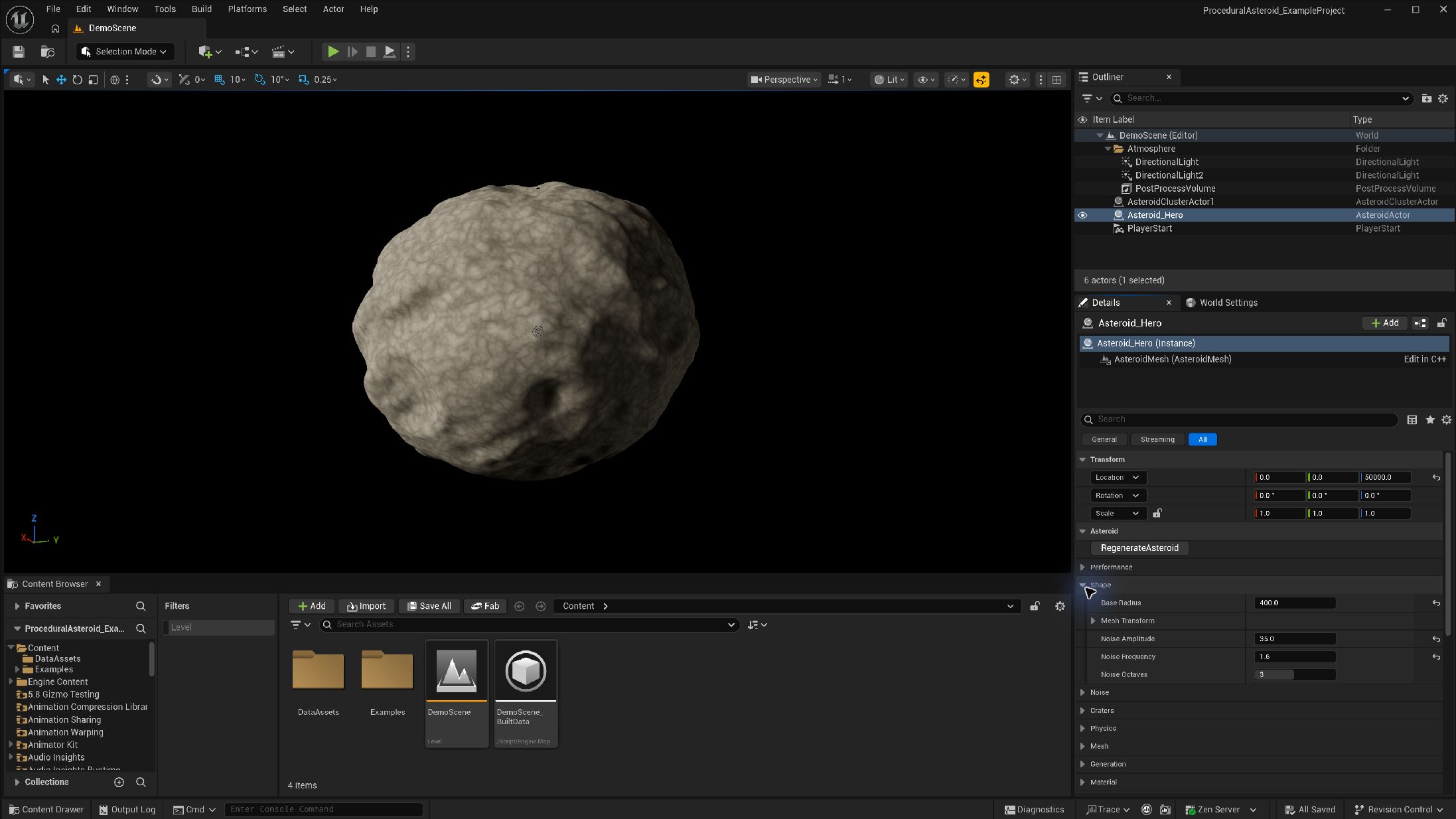
Place and shape one asteroid
- With Procedural Asteroid enabled, search Place Actors for Asteroid Actor and drag one into the level.
- Select its AsteroidMesh component. Assign Asteroid Material under Asteroid → Material. The example has material instances you can inspect or replace.
- Under Asteroid → Shape, set Base Radius and Noise Amplitude. Change one control at a time and allow generation to finish.
- Change Asteroid → Generation → Random Seed to try another shape. Record a seed you like.
- Use the actor's Regenerate Asteroid action to rebuild. Use Regenerate Component Async on the mesh component when editing its layered noise or deformer entries.
Expected result: a new procedural mesh appears on the same actor. Move or duplicate it and continue editing without playing the level.
Primary shape controls
| Parameter | Type / default or example | Effect | When to use |
|---|---|---|---|
| Base Radius | Float · actor default 200 cm | Size before displacement and transform | Establish scale before tuning surface detail. |
| Mesh Resolution | Integer · actor default 200; UI 10–1000 | Tessellation; cost rises with density | Use modest density while iterating, then inspect close detail. |
| Random Seed | Integer · actor default 0 | Seeded surface and crater variation | Store with the recipe to reproduce a shape. |
| Noise Amplitude | Float · default 30 | Strength of surface displacement | Raise for rougher outlines. |
| Noise Frequency | Float · actor default 1.0 | Scale of surface features | Raise for smaller features. |
| Noise Octaves | Integer · actor default 3; UI 1–5 | Adds fractal detail | Increase only when tessellation can show it. |
| Mesh Transform | Transform · identity | Transforms generated vertices locally | Stretch the shape separately from actor placement. |
| UV Tiling | Float · default 8; UI 1–20 | Texture repetition | Match texture scale to object size. |