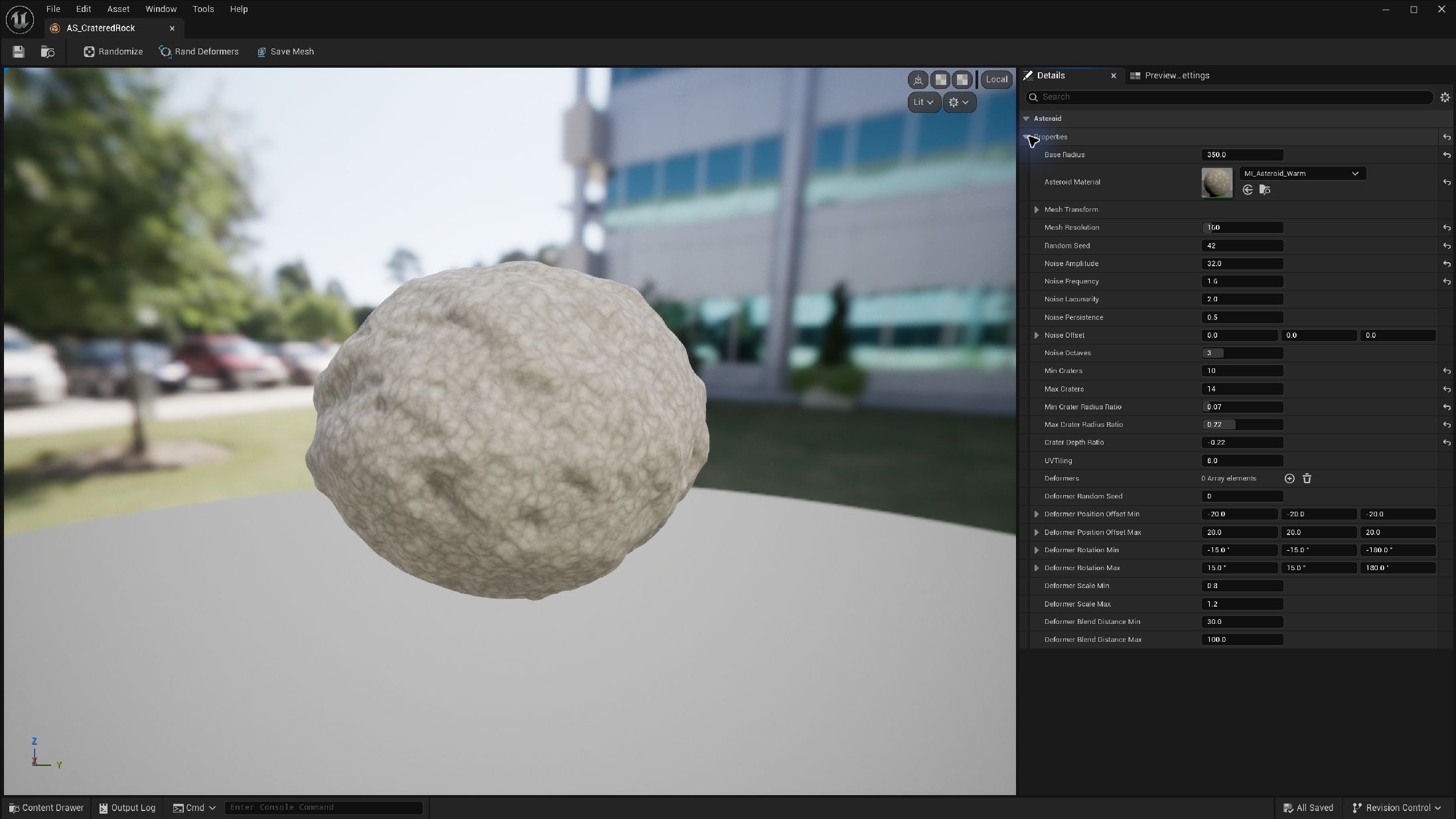
Create a reusable recipe
- Choose Content Browser → Add → Procedural → Asteroid Asset. Name it for its shape family.
- Double-click it to open the Asteroid Asset Editor.
- In Details → Properties, set radius, material, noise and craters. Defaults include Base Radius 300, Mesh Resolution 200 and Random Seed 12345.
- Use Randomize to choose a new stored seed, then save the asset.
- Add it to a cluster's Asteroid Asset Templates array.
A cluster uses the recipe's shape settings and derives each member's seed from Cluster Seed. Members are variations of the recipe rather than exact copies of its preview.
Extend a silhouette with a deformer
- Expand Properties → Deformers and add an entry.
- Assign a static mesh to Mesh. Set its Position, Rotation and Scale relative to the asteroid centre.
- Place it partly beyond the surface. Tune Blend Distance and Deform Strength while inspecting the join.
- Set randomization bounds and use Rand Deformers to try another arrangement. Save a useful result.
| Parameter | Type / default or example | Effect | When to use |
|---|---|---|---|
| Mesh | Static mesh reference | Provides the deformer shape | Start with a simple mesh. |
| Position / Rotation / Scale | Local transform · zero / zero / one | Places the shape relative to the asteroid | Move partly beyond the surface to extend the outline. |
| Uniform Scale | Float · default 1 | Multiplies all scale axes | Resize while preserving proportions. |
| Blend Distance | Float · default 50 cm | Controls the transition distance | Increase to soften a hard join. |
| Deform Strength | Float · default 0.8 | Controls influence | Reduce when the extension overwhelms the base rock. |
| Deformer Random Seed | Integer · default 0 | Controls deformer randomization | Keep it with the authored bounds. |