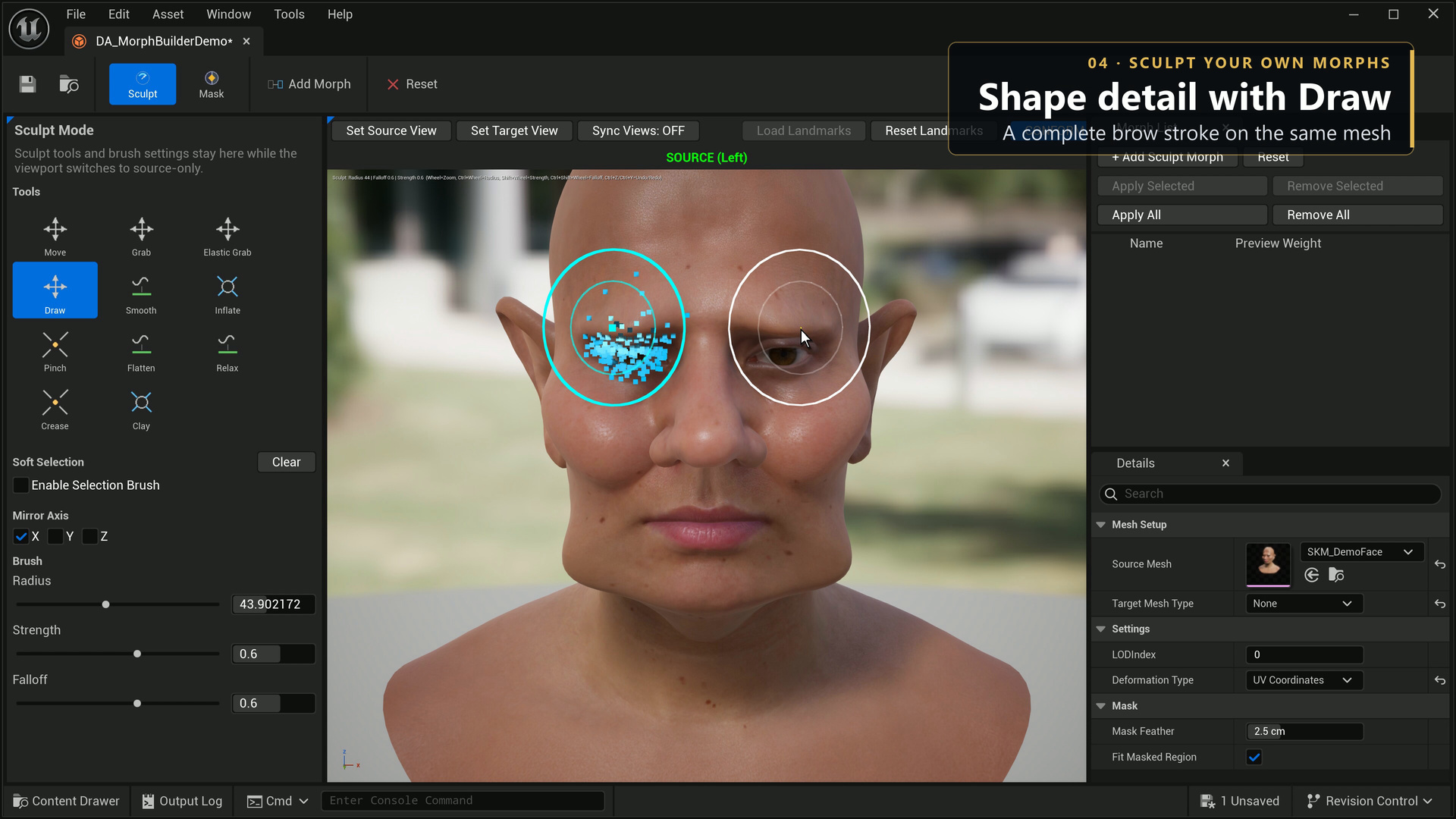
Brushes
| Tool | Purpose |
|---|---|
| Move | Move the affected surface in the brush direction. |
| Grab / Elastic Grab | Drag the region picked at stroke start; use elastic falloff for a softer response. |
| Draw | Build up or carve along the surface normal. |
| Smooth | Soften local surface variation. |
| Inflate | Expand or contract along vertex normals. |
| Pinch | Pull a region toward the brush centre. |
| Flatten | Level a local region toward the brush plane. |
| Relax | Relax the local surface. |
| Crease | Define a sharper local groove. |
| Clay | Build up a controlled local form. |
Radius sets the affected area, Strength controls the amount, and Falloff controls the edge transition. Use lower strength for detail work and test a short stroke before a long one. Enable the appropriate mirror axis for symmetric edits. The mesh's local coordinates determine the symmetry plane.
Use editor undo/redo while authoring. Capture the edited shape into the selected morph, compare preview weights, and save the data asset. Apply and save the skeletal mesh to use that target outside the authoring editor.