Included study level
Open /MorphBuilder/Examples/Maps/L_MorphBuilder_Showcase with Show Plugin Content enabled. The original study mesh, Broad/Tall authoring data and animation provide a small self-contained starting point.
Download the Unreal Engine 5.8 example
Download Morph Builder Example Project — UE 5.8 ZIP.
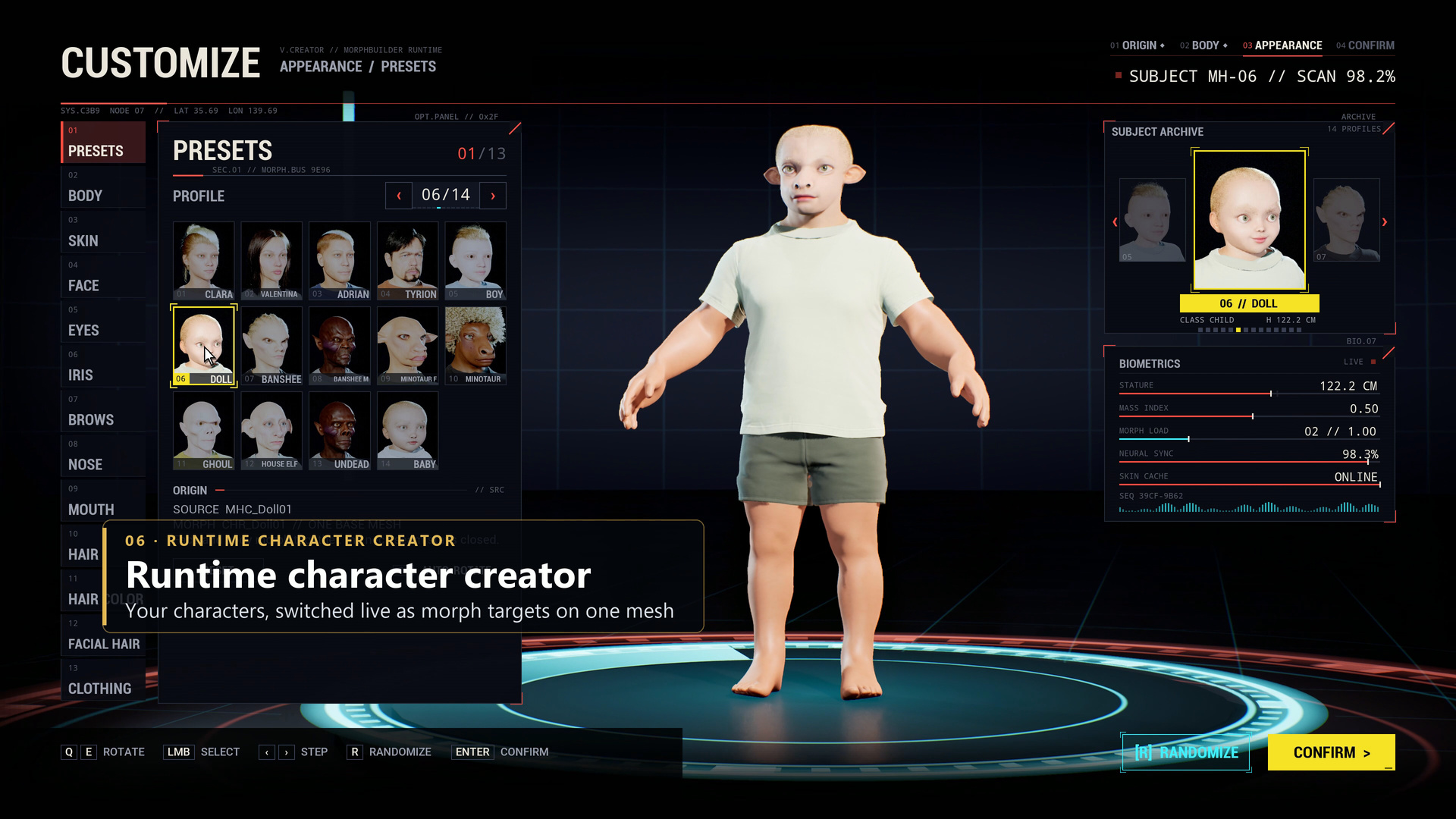
The separate project includes a base MetaHuman with Sphynx cat, Undead, Orc and Ape morph sets, face and body feature controls, a runtime creator interface, third-person locomotion and its C++ source. It contains no alien or CC5 character imports and no plugin folders. Other demonstration characters and optional fur workflows shown in promotional media are outside this download.
Update in progress: This revised example requires the upcoming UE 5.8 Morph Builder plugin update, which is not yet available on Fab. The current Fab version cannot run its groom features. Please wait for the plugin update before opening the revised project.
Open and play
- Extract the complete folder to a writable local drive.
- Install Unreal Engine 5.8, the updated UE 5.8 Morph Builder plugin when available, and the Visual Studio 2022 Game development with C++ workload, including the Windows SDK.
- Open
MorphBuilderExample.uprojectand allow Unreal to build the project module if prompted. - Open
/Game/Maps/L_MorphBuilderExampleand press Play.
Select a character, use the Face and Body tabs to adjust feature strengths and sources, or choose Randomize and Reset. Right-drag orbits, Q/E turns the character and the mouse wheel zooms. Play as this character or Tab switches to third-person play: WASD moves, the mouse looks and Space jumps. Tab returns to the creator.
Authoring and dependencies
Install the updated UE 5.8 Morph Builder plugin separately before opening this revised project. The example uses the plugin’s runtime groom driver as well as saved native Unreal morph targets. Its other dependencies are bundled Unreal plugins, including Enhanced Input, RigLogic, Animation Data, Control Rig, IK Rig, Hair Strands, Interchange and ACL. Plugin files, build outputs and caches are excluded from the ZIP.
The creator interface is sample project code, separate from the Morph Builder editor. Characters in screenshots can use different source assets, UV layouts and skeletons. Morphing retains the selected source mesh's topology, rig and materials. The README describes the included maps, controls and dependencies.