Choose a reference
The source must be a skeletal mesh. A target reference can be a static mesh or skeletal mesh. Choose Target Mesh Type, assign the corresponding target, then select the matching method.
| Method | Use it when | Check before applying |
|---|---|---|
| Vertex (Spatial) | The source and target surfaces are close and similarly aligned. | Nearby surfaces can match incorrectly at lips, fingers and folded geometry. |
| UV Coordinates | The meshes have compatible UV layouts. | Incompatible islands or overlapping UVs can produce unwanted correspondence. |
| Landmark | You need manual correspondence between different topologies. | Pairs must describe the same anatomical or geometric features. |
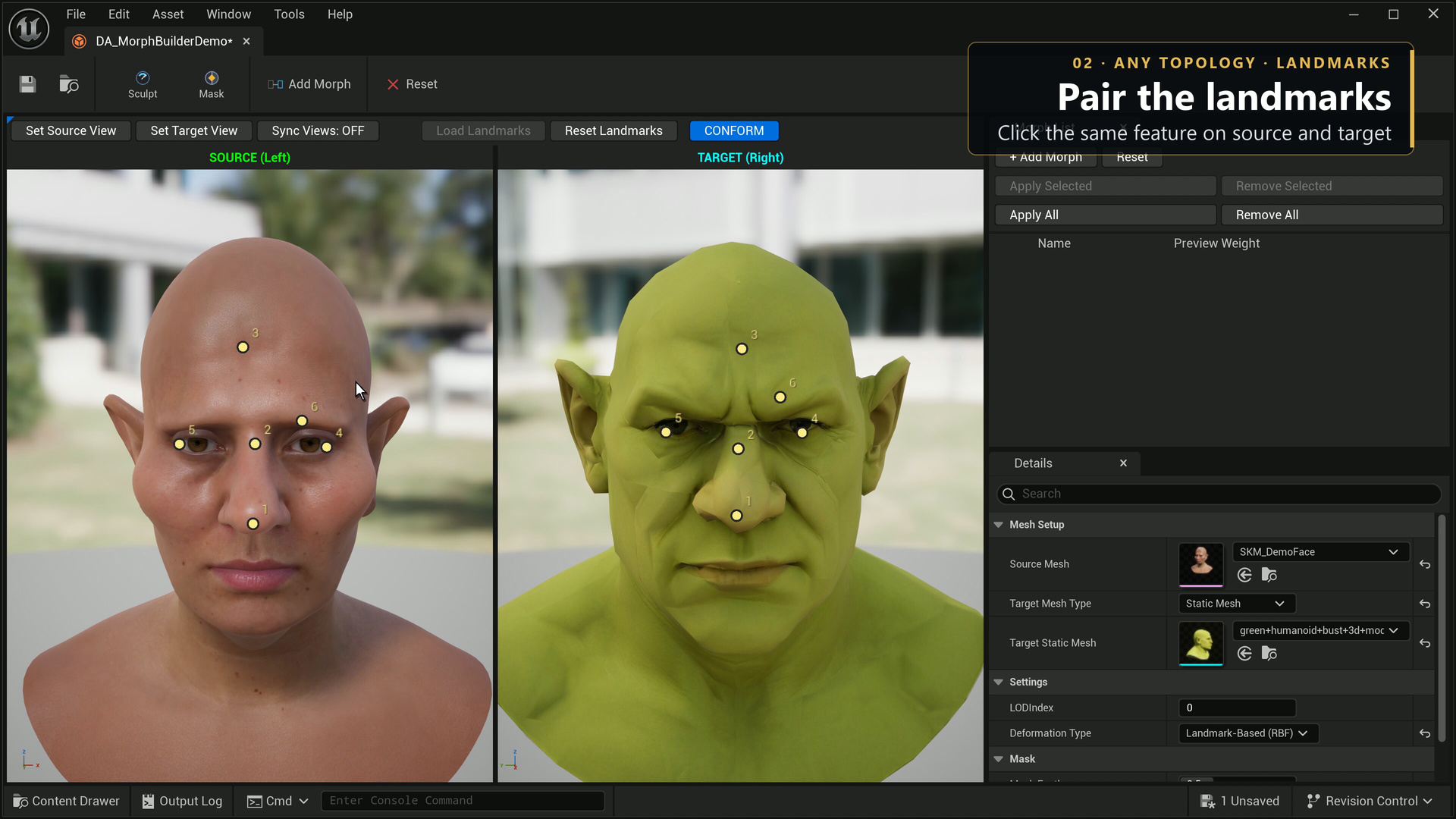
Pair landmarks, then Conform
- Choose Landmark deformation.
- Click a feature on the source and the same feature on the target. Repeat in pairs.
- Distribute approximately 10–20 pairs across the area: brows, eyes, nose, mouth, cheeks and jaw are useful starting points for a face.
- Check pair numbers and positions. Disable or remove a bad pair before fitting.
- Run Conform. It first aligns the target from the paired landmarks, then fits the surface.
- Review the fitting preview and inspect the result in three-quarter and profile views. Save a named morph only after checking the fit.
The target can start at a different scale, orientation or position. Turn Sync Views off when you need to frame it independently. Dense target geometry can take more processing time.
Conform changes vertex positions on the source. It preserves the source topology, UVs, skinning and materials; it does not transfer target textures, retarget a skeleton or create new topology. Inspect eyelids, lips, teeth, inner surfaces and detached parts before applying.