How It Works
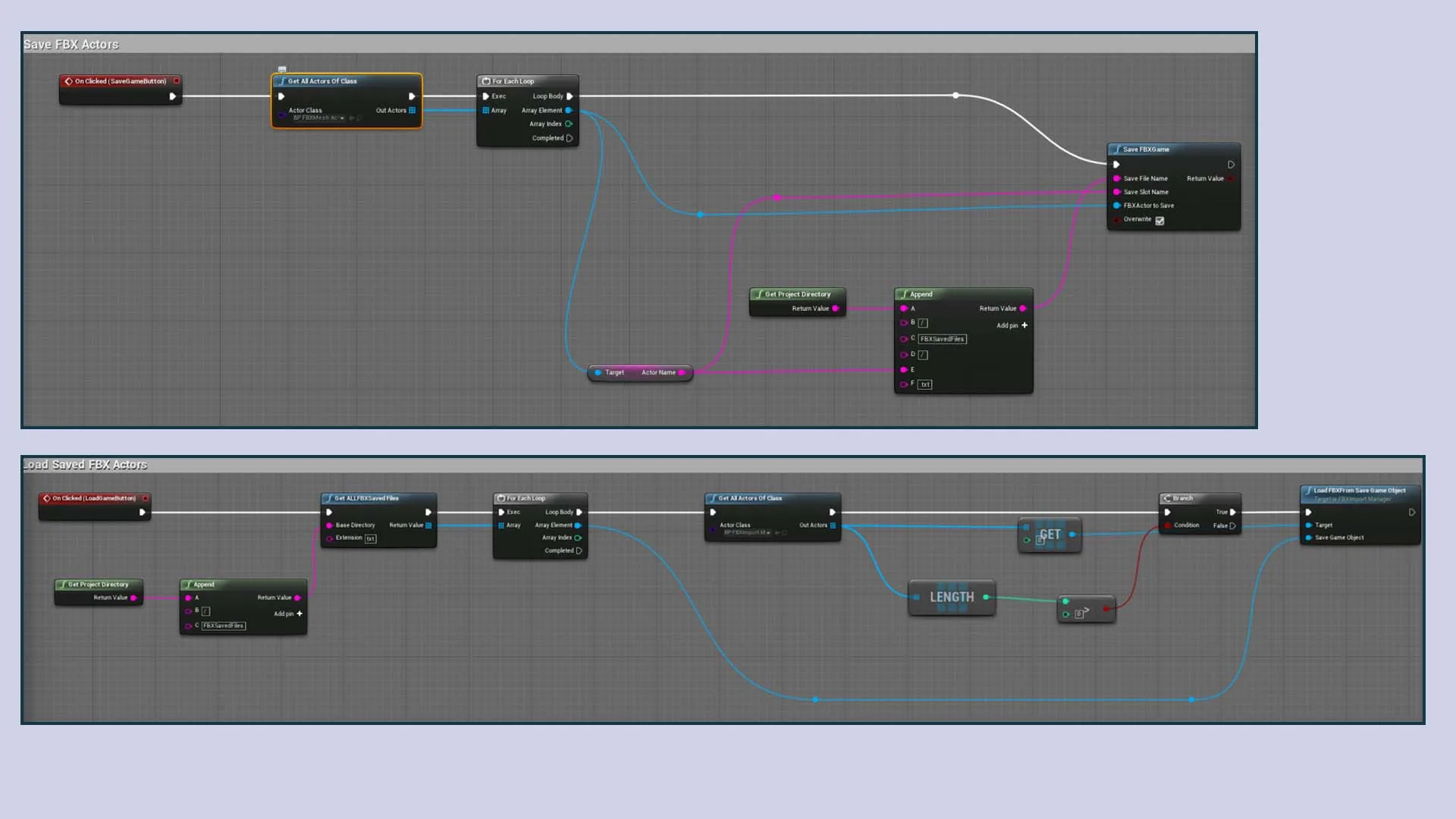
After a successful import, call Save Mesh Actors on your FBX Import Manager. This serializes all spawned FBX Mesh Actor data (mesh geometry, transforms, material runtime info, skeletal data) to a Unreal save slot. On the next session, call Load Mesh Actors with the same slot name — all actors are re-created instantly without re-parsing the FBX file.
1
Import FBX
›
2
Place / configure actors
›
3
Save Mesh Actors
›
4
Next session
›
5
Load Mesh Actors → instant spawn
Blueprint Nodes
| Node | Parameters | What it does |
|---|---|---|
| Save Mesh Actors | Save Slot Name (String), Save Game Index (int32) | Serializes all current FBX Mesh Actors to a save slot |
| Load Mesh Actors | Save Slot Name (String), Save Game Index (int32) | Restores all actors from the save slot, spawning them in their saved positions |
💡 Use the same Save Slot Name and Save Game Index pair for save and load. You can maintain multiple independent slots for different scenes or users.
What Is Saved
- All mesh geometry (vertices, triangles, normals, UVs, tangents, vertex colors)
- Skeletal mesh bone data and skin weights
- Material runtime info (textures, colors, scalars)
- Node hierarchy and relative transforms
- Actor world transform
ℹ️ Animations are not saved in the save slot — you will need to re-import animation files after loading.