Collision Types
Set in Initialize FBX Load → Collision Type:
| Value | Behavior |
|---|---|
| No Collision | Imported mesh has no physics collision at all |
| Mesh Collision | Collision is generated from the visible mesh geometry (complex/expensive) |
| Mesh Collision From Source | Uses the raw mesh vertex data as collision geometry |
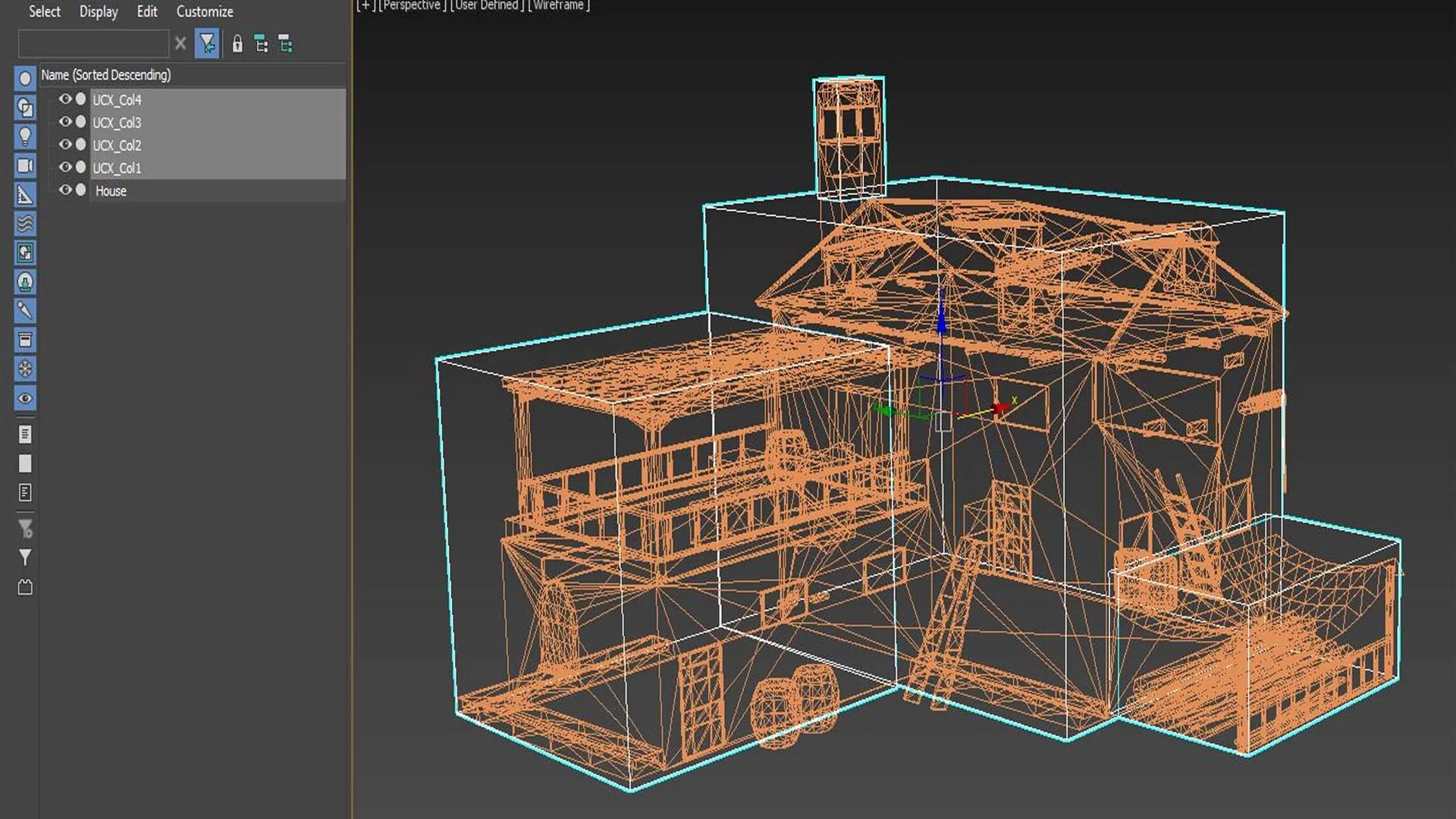
| Custom Collision From Source | Uses only meshes prefixed with UCX_ inside the FBX as convex collision hulls — recommended for most use cases |
UCX_ Workflow
In your 3D tool (Blender, Maya, 3ds Max), create simplified collision geometry alongside your visible mesh. Name collision objects with the prefix UCX_ followed by the name of the target mesh — for example UCX_Chair for the mesh named Chair. When the FBX is exported and imported, the plugin assigns those hulls as collision and hides them from rendering.
- For complex objects, add multiple hulls with indexed suffixes:
UCX_Chair_01,UCX_Chair_02 - Keep each hull convex — concave shapes need to be split into multiple convex pieces
- Low-poly hulls (8–20 triangles) perform much better than dense collision meshes
Supported Prefixes
| Prefix | Collision shape |
|---|---|
UCX_ | Convex hull — most reliable at runtime |
UBX_ | Box (when exported by your toolchain) |
USP_ | Sphere (when exported by your toolchain) |