Download the separate Win64 example for Unreal Engine 5.7 or Unreal Engine 5.8.
Install the matching plugin separately, then open MotionStudioDemo. The example download contains project binaries and its own content; it does not bundle a second copy of the plugin.
Start at Examples/Maps/L_MotionStudio_Overview. Its stations point to editable authoring assets, baked animations and the playable demonstration maps.
Generated locomotion
Open GameplayLocomotion/L_GeneratedGameplayLocomotion and Play. WASD moves relative to the camera, mouse looks, and Shift runs. Offline Kimodo animation provides the matching library. Buffered ARDY chunks can blend over that pose when generation is available and a result passes the runtime acceptance checks. Late or rejected results leave offline playback active.
The HUD reports the active motion source, inference time and rejected results. Runtime generation is asynchronous and hardware-dependent. Capsule movement and the camera remain responsive while it works. Inspect contact, braking and handoffs on your own terrain; generated locomotion still needs animation-quality review and tuning for a final game.
Sword, shield and bow
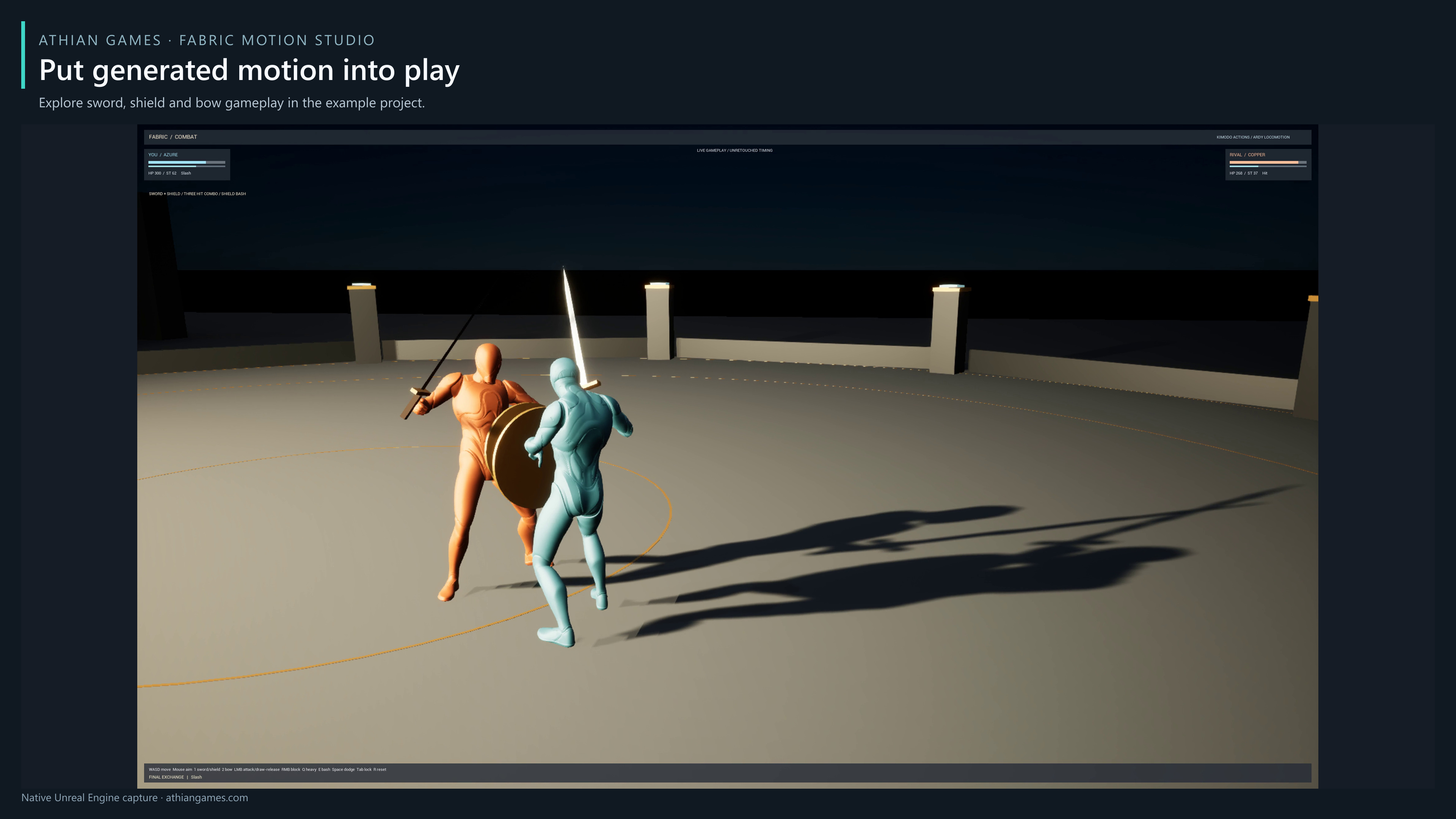
Open MeleeCombat/L_GeneratedMeleeCombat and Play. Move with WASD, look with the mouse, and run with Shift. Press 1 for sword/shield and 2 for bow. Sword LMB chains attacks; Q performs a heavy strike; RMB guards and a fresh press opens a parry window; E bashes with the shield. Hold bow LMB to draw and release to fire. Space dodges, Tab toggles target lock, and R resets the encounter.
Hold RMB to guard while retreating or strafing. Unlocked guard follows the camera direction; with Tab target lock, it faces the selected opponent. Release guard to return to ordinary movement-facing.
With Tab target lock active, use WASD to move around the opponent while keeping your facing. The lower-body gait turns toward travel before ground contact is applied. When replacing the example matching library, match capsule speed to the clip gait and review lateral steps, starts, stops and slopes on the target character.
The example combines generated clips with gameplay timing, contact checks, stamina, health, physical arrows and a local opponent. Generated prompts alone do not implement those gameplay rules or guarantee usable attacks; the included clips were selected and reviewed.
For integration, duplicate an example Blueprint and inspect its inherited movement, animation-library and runtime-generation properties. Use the example's reviewed clips and matching database first; replace one part at a time and verify the result in Play.