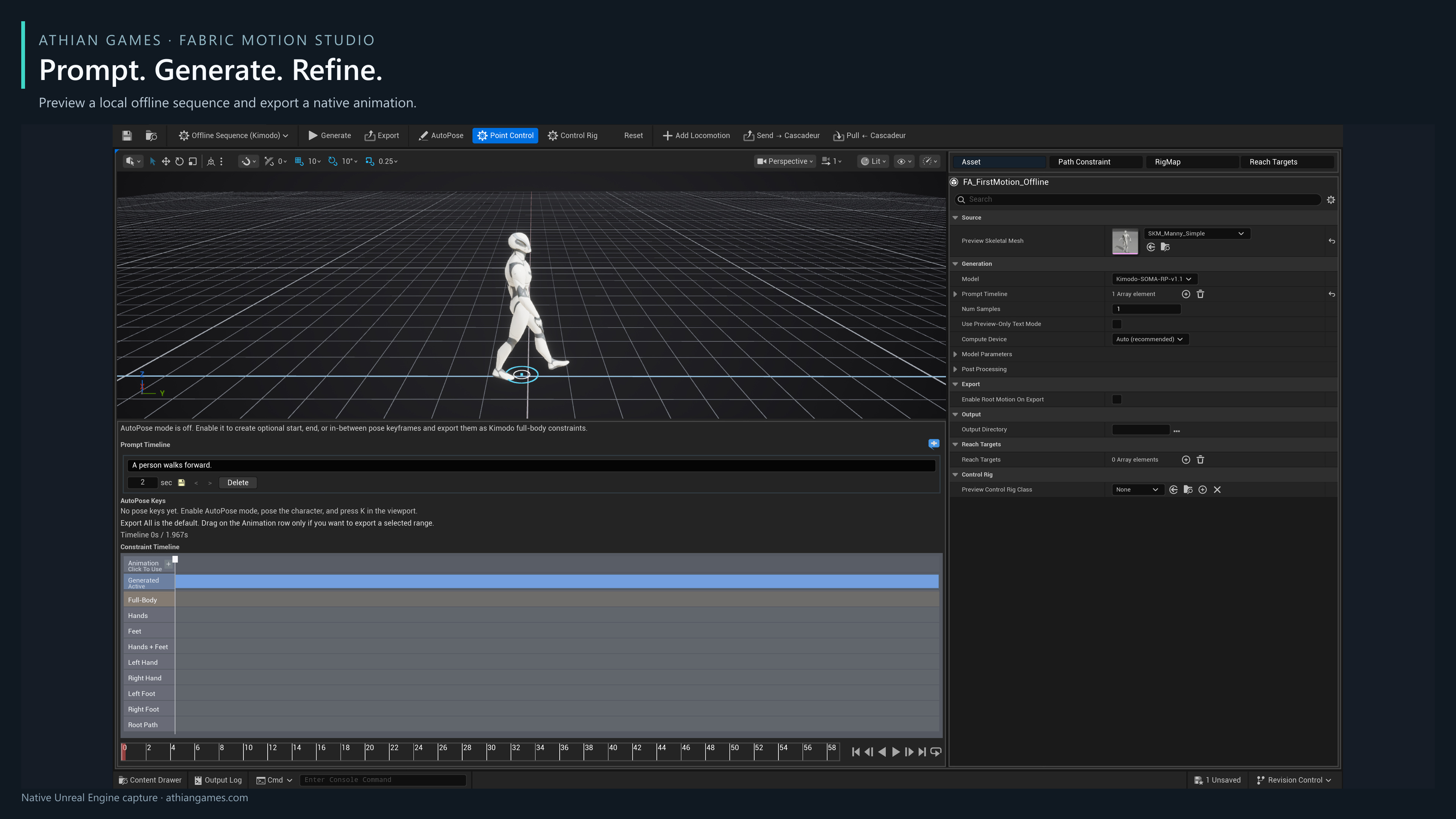
Open the studio
In the Content Browser, create an asset under Fabric Motion Studio > Fabric Motion Asset, then double-click it. The toolbar's Mode menu switches between Offline Sequence (Kimodo) and Realtime (ARDY). Both documents remain inside the asset when you switch.
For a ready-made starting point, open Examples/MotionStudio/Authoring/FA_FirstMotion in the example project. It contains a generated walking preview and its editable prompt. Saved single-clip previews travel with the asset, so you can inspect and export these examples without the author's job folders.
Local model setup
Built with Meta Llama 3. The motion workers use Meta Llama 3 for text encoding. See the Meta Llama 3 Community License.
Generation runs locally. First use downloads model checkpoints and a text encoder; review the linked models' terms before using them. Downloads require internet access, storage and a Hugging Face account where a model requires access approval. The plugin does not include model weights.
Editor authoring requires Unreal's Python Editor Script Plugin, which Epic marks as Beta. Fabric Motion Studio enables this bundled engine dependency.
Open Edit > Project Settings > Plugins > Fabric Motion Studio and the ARDY settings to select a model cache and default preview mesh. Leave Compute Device on Auto initially. A compatible NVIDIA GPU speeds generation; Hybrid reserves GPU memory by moving the text encoder to CPU. CPU generation is supported but substantially slower. Keep enough RAM and free disk space for the large text encoder and checkpoints.
Windows and the UE mannequin workflow are the verified starting point. Exported animations can play without a generation worker. Live inference has its own hardware and model requirements; it is not required to inspect the baked examples.