Save Groom and binding
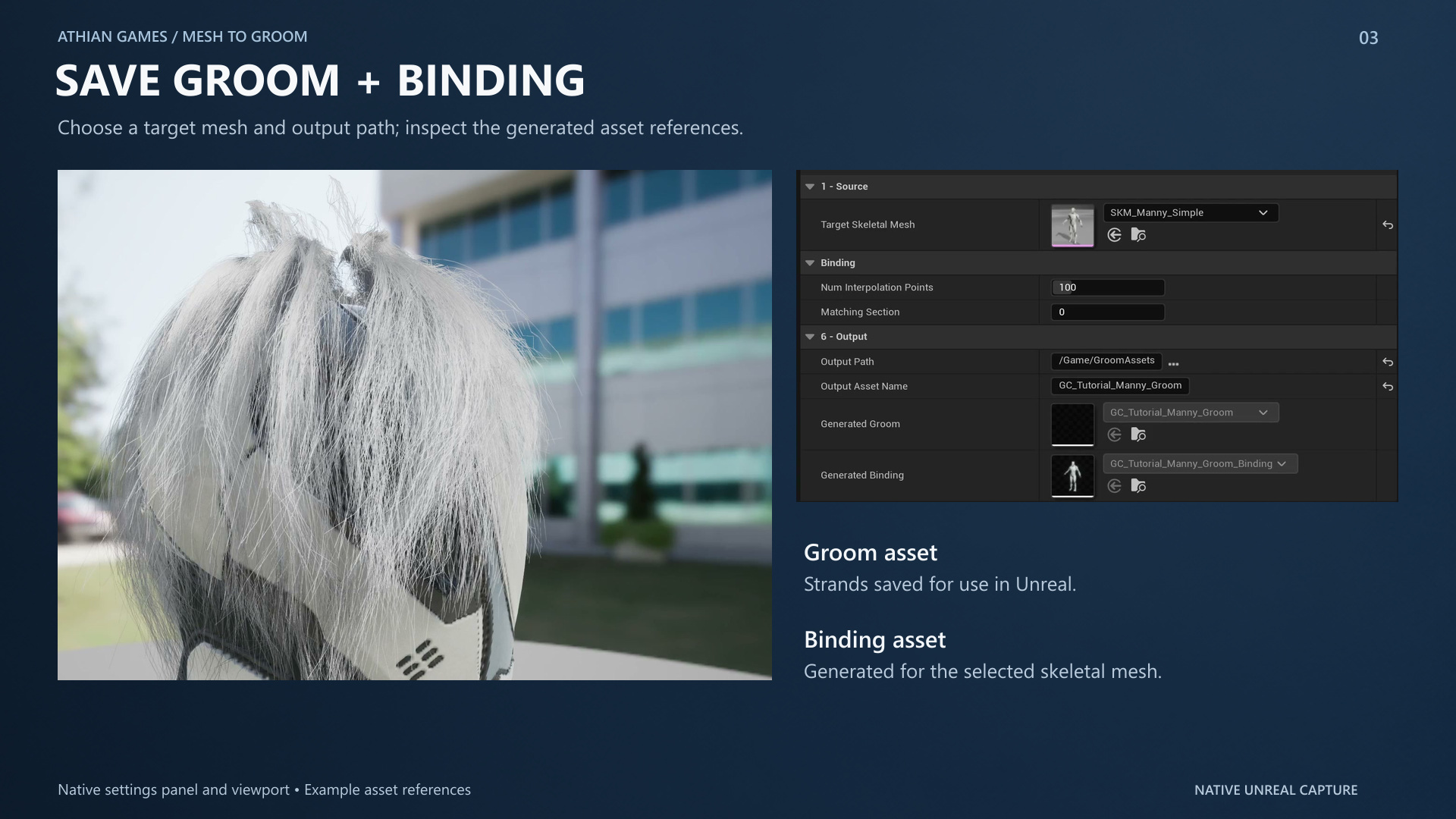
Save Groom writes the UGroomAsset and, when a target skeletal mesh is set, rebuilds the UGroomBindingAsset in place. The engine's default create path would mint _Binding1, then _Binding2, while the character kept pointing at the first bind. This tool does not do that.
Physics
A groom asset ships with simulation off unless you turn it on. Physics > Enable Simulation is on by default here and is written into the saved groom.
| Setting | Current behavior |
|---|---|
| Enable Simulation | The switch that actually makes hair move. The groom component's own settings default to not overriding. |
| Gravity Preloading | How much gravity the hair already carries on frame one. Default 1, so the groom does not visibly drop on spawn. |
| Hair To Guide Density | Simulation runs on guides, not strands. This is the cost lever, not Strand Count. |
After changing simulation settings, use Save Groom to rebuild the required interpolation data. Assign that saved Groom to the character and inspect the animation with its matching binding.
Preview budget
Preview settings govern the live viewport only. Convert and Save Groom use the recipe's full conversion settings. Live preview uses a reduced strand budget; press Convert before judging final density or fine curve detail.
Hair Cards controls
The Hair Cards tab uses the experimental engine Hair Card Generator. Its output remains unverified in the release review, so use it only after testing the output in your own project.
| Parameter | Default / type | Effect | When to use |
|---|---|---|---|
| Group Index / LOD Index | 0 / 2, integers | Selects the groom hair group and target card LOD. | Choose the group created by a layer and a free LOD. |
| Target Number Of Cards | 2000 / integer, 1–2000 | Sets the card budget. | Lower for cheaper distant hair. |
| Target Triangle Count | 60000 / integer, 2–100000 | Sets the geometry budget. | Lower after checking the silhouette. |
| Max Vertical Segments Per Card | 15 / integer, 1–32 | Limits curvature segments. | Raise for longer, strongly curved locks. |
| Number Of Textures In Atlas | 75 / integer, 1–75 | Controls texture variety in the atlas. | Balance variety against atlas resolution. |