What it does
Mesh To Groom Converter turns a sculpted wig or hair-card mesh into a real strand Groom asset, binds it to a skeletal or MetaHuman face, and lets you preview, style, and hand-groom it in a standalone editor. No Alembic cache is required.
Download the separate example project with original ribbon and braid geometry exercises. Install the matching plugin separately; the example does not include a hairstyle or character library.
The plugin ships its editor and runtime code; the example project is a separate download. Open a Mesh To Groom Converter asset from Content Browser > Create Advanced Asset > Physics > Other.
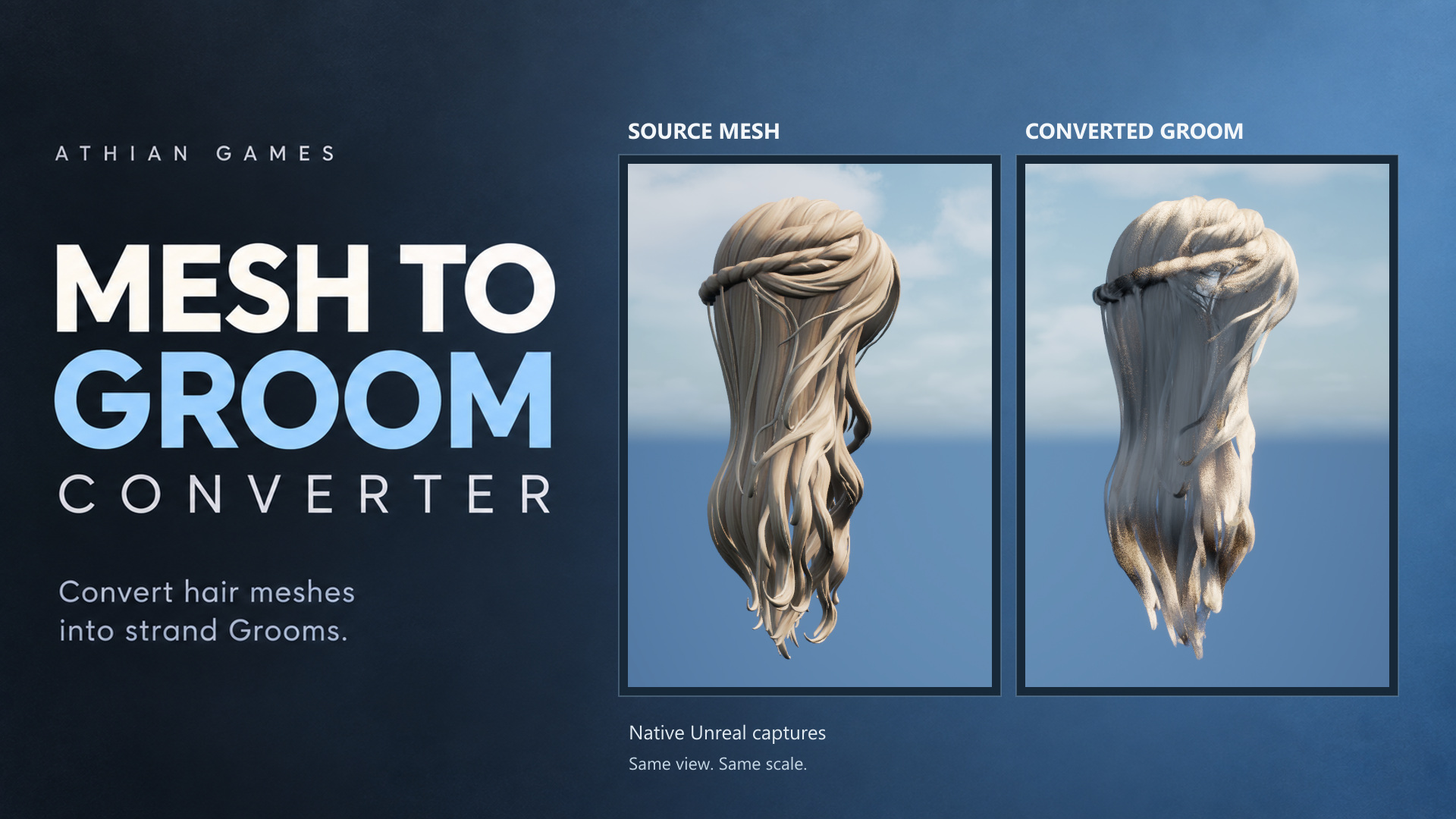
Conversion depends on source topology and the chosen settings. Inspect silhouette, crown coverage, flyaways and gaps from several angles, then adjust the conversion for your mesh. These comparisons show the actual output, including its visible limitations.
Main capabilities
Standalone Editor
Live viewport, Details, Layers panel, and eight viewport brushes.
Layers
Each enabled layer owns its hair groups, meshes, conversion, style, appearance, physics, and strokes.
Surface Flow
Geodesic tracing for sculpted / solid wigs, with root-band and detached-shell rescue.
Card Centerline
Conversion path for ribbon / card hair.
In-place Binding
Save Groom writes the groom and rebuilds the binding in place so re-grooms never leave a _BindingN behind.
Brushes
Select, Comb, Grab, Smooth, Cut, Puff, Clump, and Noise record a stroke list that replays after every rebuild.
What ships
| Piece | Role |
|---|---|
| MeshToGroomConverter | Runtime module. |
| MeshToGroomConverterEditor | Asset editor, viewport, layers panel, builder. |
| Engine plugins | Hair Strands and Hair Card Generator (experimental) are declared dependencies. Card generation also needs the engine generator's Python environment. |
| Platforms | Win64 only. Both modules list PlatformAllowList Win64. |