What is Dynamic Mesh Occluder?
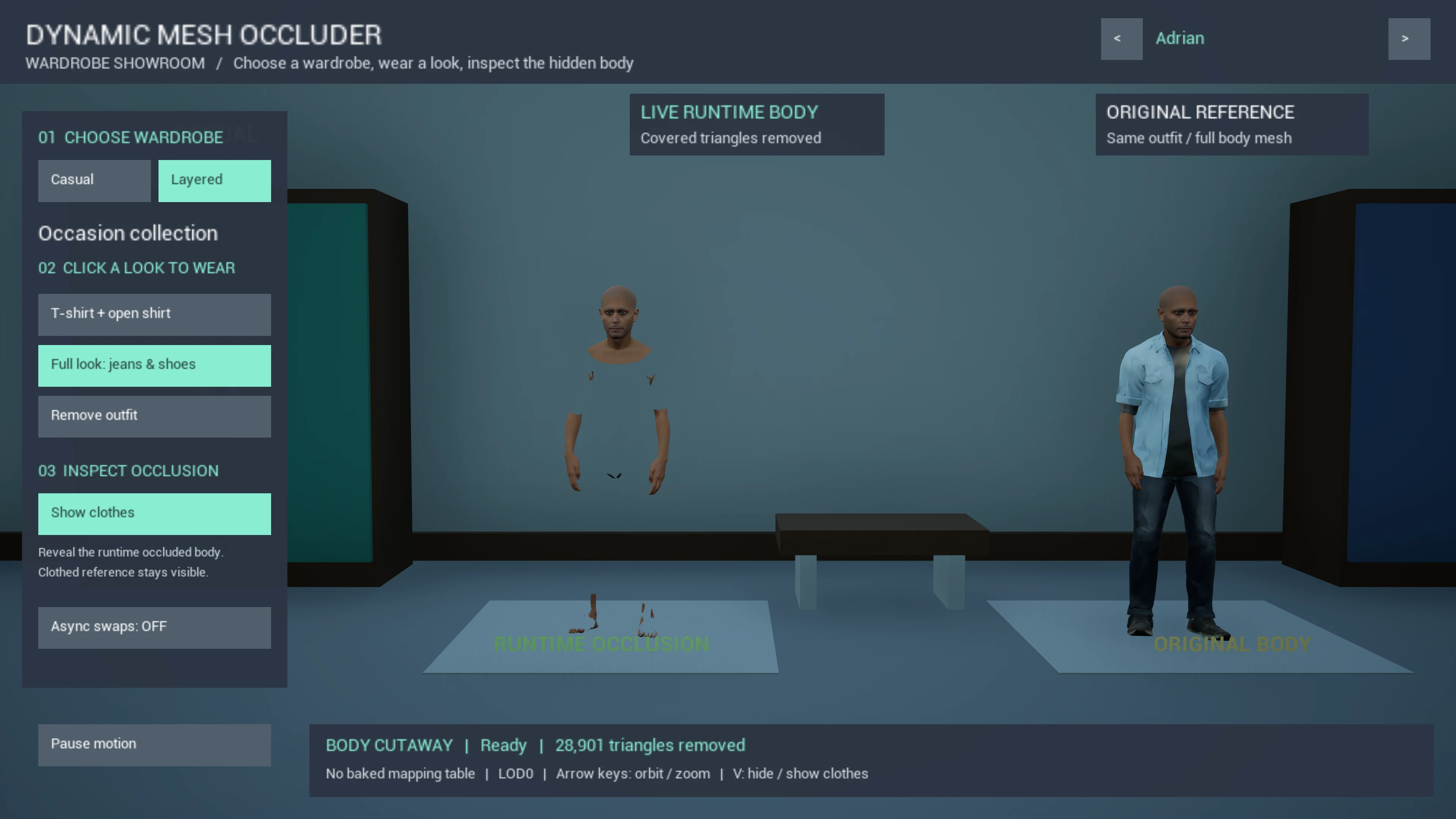
Dynamic Mesh Occluder removes skeletal mesh triangles hidden beneath clothing. Bake the result in the editor, generate a transient mesh when an outfit changes, or combine saved mappings with live fallback detection.
When a character wears clothing, the body underneath is still rendered by the GPU even though the player never sees it. This plugin lets you detect and bake away those hidden triangles in the editor, then automatically swap the mesh at runtime to the trimmed version — so the GPU never has to render what isn't visible.
The same works for layered clothing. If your character wears an undershirt beneath a jacket, you can trim the undershirt against the jacket exactly the way you trim the body against an outfit — removing covered areas of the lower layer. Review exposed edges and movement; detection is not a cloth simulation or an automatic garment-fitting system.
Key Features
Auto Detect Occlusion
Automatically detect and remove triangles from the target skeletal mesh, based on whatever is worn over it.
Manual Paint Override
Paint individual triangles as hidden or visible to fine-tune the result with Brush, Select, or Lasso tools.
Layered Clothing
Trim an inner garment against the layers above it, with independent detection and paint corrections.
Multiple Outfits
Store different clothing combinations in one mapping table — one asset covers your whole character.
Runtime Mesh Swap
Call one Blueprint node when clothes change. The mapping table matches the equipped set (including a single garment or extra empty slots) and swaps the trimmed body.
How It Works
Choose a workflow: baked meshes for known outfits, live generation for new combinations, or hybrid lookup with runtime fallback. Call the component when the outfit changes; it does not discover wardrobe changes automatically.
Load body & clothing meshes
Pick the Occlusion Target
Run occlusion detection
Paint-correct if needed
Save trimmed mesh & mapping table
Runtime: call the outfit swap node
Steps 2–5 are repeated once per mesh you want to mask: once for the body, then once for each garment that has something worn over it. Every pass appends to the same mapping table.
What Gets Saved
| Asset | Purpose |
|---|---|
SK_OccludedBody | Body skeletal mesh with hidden triangles removed. Used by the runtime component instead of the original. |
SK_<Garment>_Occluded | Created when you mask a clothing mesh. One trimmed asset per garment, auto-named after the garment so a multi-layer outfit never collides on one name. |
DA_BodyOcclusionMap | Lookup table that maps each target mesh + what is worn over it to its trimmed version. Holds both body and garment entries. |
DA_BodyOcclusionMap. You never need more than one mapping table per character.