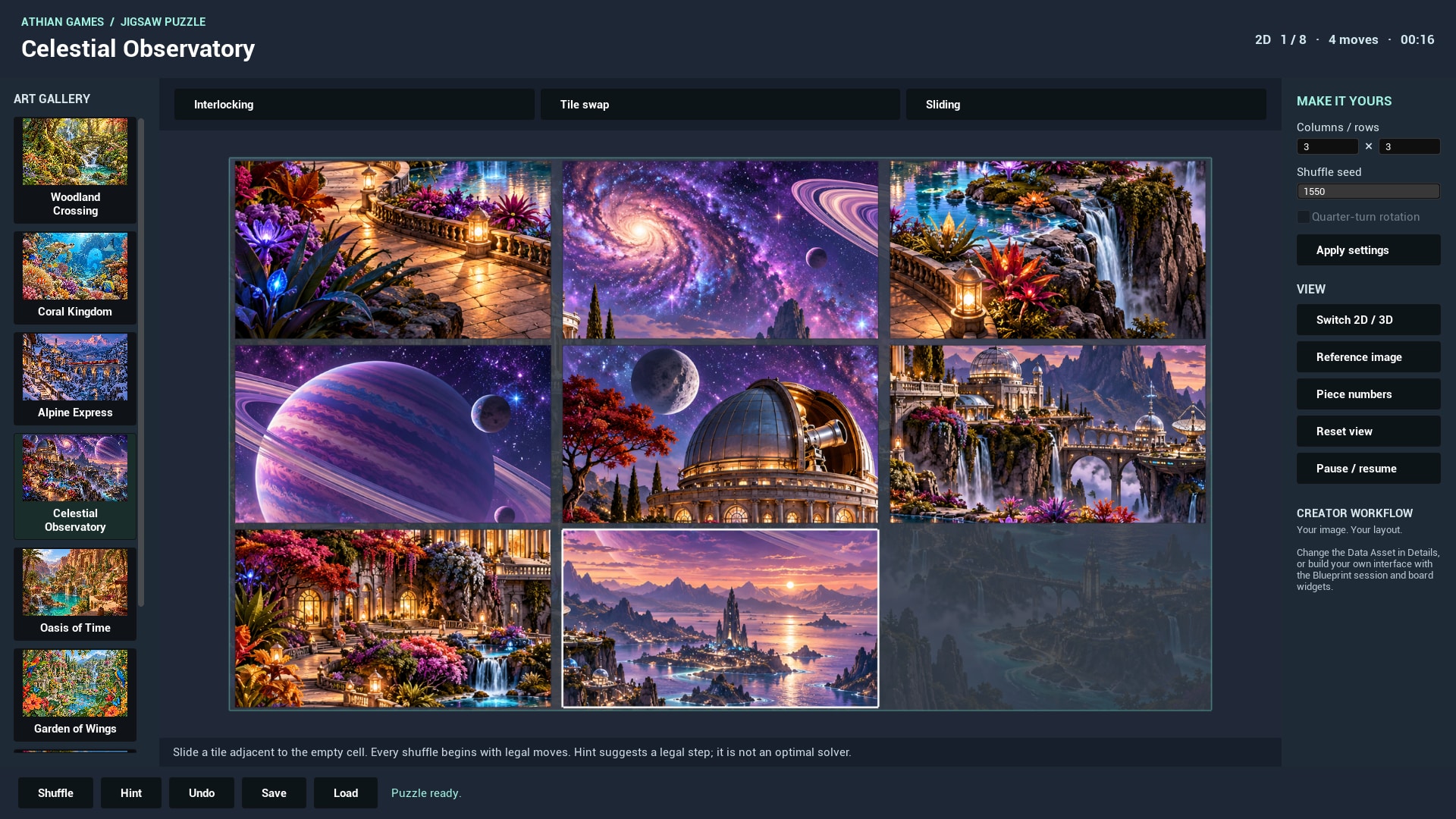
Mode rules
- Interlocking: drag each piece to its own target. A correctly oriented drop within Snap Distance locks the piece. Other pieces remain movable.
- Tile swap: choose a tile, then another tile to exchange them. Choose the selected tile again to cancel selection.
- Sliding: choose a tile next to the gap. Only orthogonal adjacent moves are accepted. Every initial shuffle is produced through legal moves from the solved state.
Assistance and undo
An interlocking hint places one unsolved piece. A swap hint exchanges a misplaced tile with the tile occupying its target. A sliding hint makes a legal move chosen by tile-distance improvement; it is not an optimal solver and can revisit states. The history retains up to 64 piece/move states. Undo does not rewind elapsed time or refund hints. Pause blocks moves and time progression.
Local progress
Save stores piece positions, turns, locks, seed, moves, hint use and elapsed time using Unreal SaveGame. The gallery derives a slot from stable puzzle identity, artwork, grid, mode, edge shape and rotation setting. Switching between 2D and 3D keeps the active session state. Applying new layout settings or selecting a new puzzle starts a new session.
- Place a piece and select Save.
- Make another move or select Shuffle with the same artwork/layout.
- Select Load. The saved arrangement and seed return.
- Change the grid and try Load again. A different layout has its own save slot; incompatible states are rejected.
Local saves are not cloud profiles. Loading clears undo history. Renaming an asset changes its fallback save identity; use Puzzle Id when persistence must survive an asset rename. Changing the actual contents of the same texture asset does not version an existing save automatically.